
Description
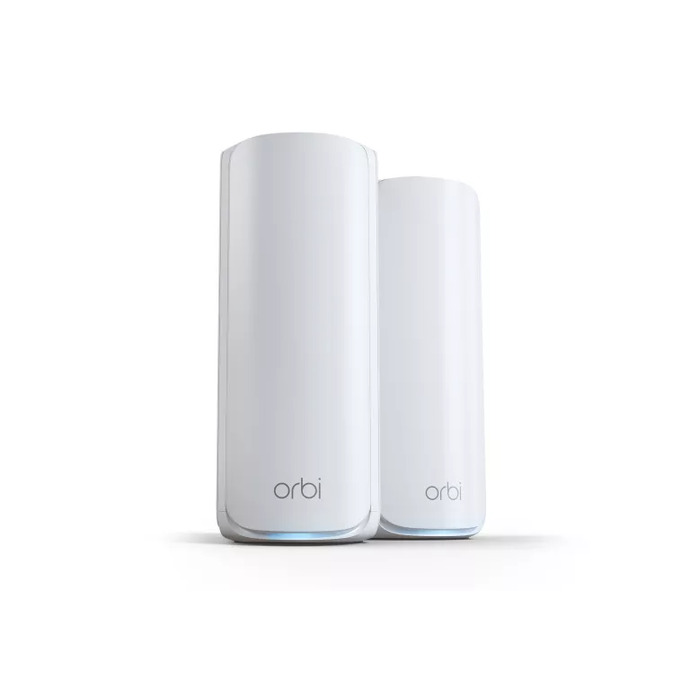
Orbi WiFi 7 router delivers ultra-fast wireless performance with combined speeds up to 11Gbps and tri-band technology for consistent connectivity across all devices. The system includes a 2.5 Gig internet port and 2.5Gbps Ethernet ports for high-speed wired connections, plus an optional 2.5Gbps wired backhaul to maximize throughput. Designed for whole-home coverage, the router uses high-performance antennas and a compact modern enclosure to provide reliable 360° WiFi across different layouts. Built-in security features and NETGEAR Armor™ offer device-level protection and automatic firmware updates; a 30-day trial of Armor is included. Setup is straightforward via the Orbi app and works with most internet service providers.
Advantages
Delivers WiFi 7 speeds up to 11Gbps for demanding uses such as 8K streaming, online gaming, VR and large video calls. Tri-band design with Enhanced Backhaul maintains fast wireless performance even when multiple devices are active. Wired 2.5Gbps ports and a 2.5 Gig internet port support multi-gig internet plans and high-bandwidth wired devices. Security is enabled by default with Advanced Router Protection and automatic updates, while NETGEAR Armor provides additional, real-time protection for connected devices. Simple plug-and-play setup through the Orbi app allows quick connection to most modems and service providers.
Key specifications
- WiFi standard: WiFi 7
- Maximum combined wireless speed: Up to 11Gbps
- Bands: Tri-Band with Enhanced Backhaul
- Internet port: 2.5 Gig (multi-gig)
- Ethernet ports: 2.5Gbps wired ports for devices and backhaul option
- Coverage: 360° whole-home coverage with high-performance antennas
- Security: Built-in Advanced Router Protection, NETGEAR Armor (30-day trial)
- Setup: Orbi app compatibility and easy plug-in installation
How to use
Connect the Orbi router to your modem using the 2.5 Gig internet port, place the satellite(s) or additional units around the home to achieve optimal 360° coverage, and power them on. Install the Orbi app on a smartphone, follow the guided steps to complete network setup and choose whether to enable NETGEAR Armor. For best performance, enable the 2.5Gbps wired backhaul if using wired connections between units and connect demanding devices to the 2.5Gbps Ethernet ports.
Recommendations
For maximum performance, use a multi-gig internet plan and connect bandwidth-heavy devices (NAS, gaming PC, streaming device) via the 2.5Gbps Ethernet ports. Position satellites to reduce physical obstructions and ensure consistent 360° coverage; enable automatic firmware updates and NETGEAR Armor for ongoing security.
There are no reviews yet.