
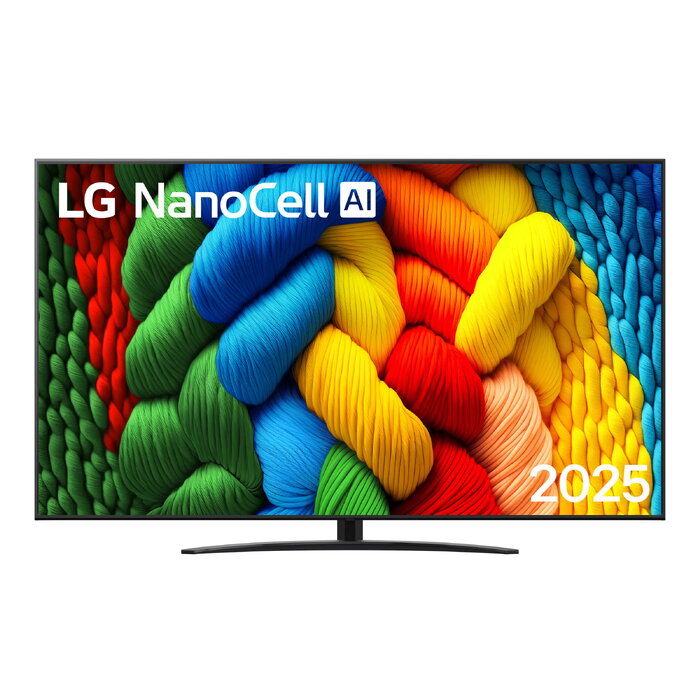
Description
LG NanoCell AI 75NANO81A3A 190.5 cm (75″) 4K Ultra HD Smart TV in black combines a NanoCell display and 4K Ultra HD resolution with the WebOS smart platform and built-in connectivity. The panel uses Direct-LED backlighting and supports common digital broadcast standards (DVB-S, DVB-S2, DVB-T, DVB-T2). The set includes Wi‑Fi and Ethernet LAN for streaming and network services.
Advantages
The NanoCell display technology provides consistent colour reproduction across the screen while the 3840 x 2160 resolution delivers detailed 4K images suitable for high-resolution content. Direct-LED backlighting ensures even illumination across the flat screen. WebOS offers a familiar smart-TV interface with access to streaming apps and networked media. Integrated tuners for DVB-S/S2 and DVB-T/T2 and both Wi‑Fi and Ethernet connectivity enable multiple content sources without additional equipment.
Suitable for
- Watching 4K video streaming and on-demand services
- Receiving satellite and terrestrial digital TV broadcasts (DVB-S/S2, DVB-T/T2)
- Connecting to a home network via Wi‑Fi or Ethernet for apps and media playback
- General living-room or shared-space TV viewing
Key specifications
- Model: LG NanoCell AI 75NANO81A3A
- Display diagonal: 75″ (190.5 cm)
- HD type: 4K Ultra HD
- Display resolution: 3840 x 2160
- Display technology: NanoCell
- LED backlighting type: Direct-LED
- Operating system: WebOS
- Digital signal format: DVB-S, DVB-S2, DVB-T, DVB-T2
- Connectivity: Wi‑Fi, Ethernet LAN
- Native aspect ratio: 16:9
- Energy efficiency class (SDR): F; (HDR): G
- Energy consumption (SDR) per 1000 hours: 127 kWh; (HDR) per 1000 hours: 190 kWh
- Product colour: Black
How to use
Place the TV on a stable surface or mount it according to the manufacturer’s VESA specifications. Connect the power cable and attach any external devices (set-top box, Blu-ray player, game console) to the appropriate HDMI or AV inputs. For network features, connect to the local network using Wi‑Fi from the WebOS setup menu or the Ethernet LAN port. Use the on-screen WebOS setup assistant to sign in to streaming services and update system software when prompted. Select the appropriate input source and picture mode before viewing content.
Usage recommendations
Allow at least 10–15 cm of clearance around the TV for ventilation, avoid prolonged exposure to direct sunlight on the screen, and enable energy-saving picture settings if you want to reduce power consumption. Keep the TV firmware up to date via WebOS to ensure access to the latest app and compatibility fixes.

There are no reviews yet.