
Description
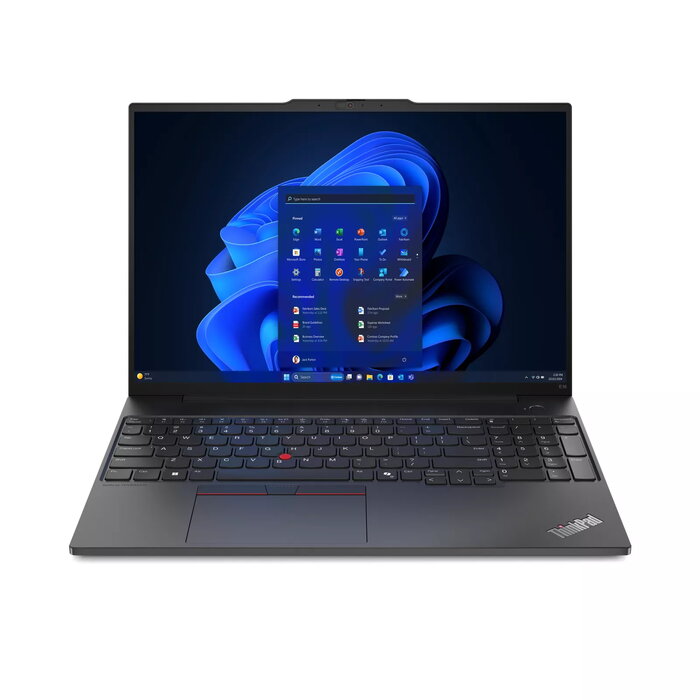
The Lenovo ThinkPad E16 Gen 2 (16″ AMD) is a 16-inch business laptop powered by up to AMD Ryzen 7000-series processors; the shown configuration features an AMD Ryzen 5 7535HS, 32 GB DDR5 memory and a 1 TB SSD. The 1920 x 1200 WUXGA display and AMD Radeon 660M integrated graphics deliver a balance of screen area and clarity for productivity tasks. The clamshell chassis in black supports dual SSDs and two SODIMM memory slots for straightforward upgrades, while Windows 11 Pro is preinstalled for enterprise management and security.
Advantages
The laptop provides improved multi‑core performance for multitasking and demanding workflows thanks to the AMD Ryzen processor and 32 GB DDR5 memory. Upgradeability is simplified by dual SSD support and two memory slots. The larger 16″ WUXGA screen increases usable workspace, and the full‑size keyboard with a larger touchpad and TrackPoint features facilitates efficient navigation. Built‑in audio optimizations and AI noise cancellation enhance conferencing, while optional biometric options and ThinkShield security features protect sensitive data.
Suitable for
- Office productivity and multitasking (documents, spreadsheets, email)
- Remote meetings and video conferencing with AI noise cancellation
- Software development and light content creation
- Business users requiring upgradeable memory and storage
Key specifications
- Processor: AMD Ryzen 5 7535HS, 3.3 GHz
- Display: 40.6 cm (16″) WUXGA, 1920 x 1200
- Memory: 32 GB DDR5‑SDRAM (two SODIMM slots)
- Storage: 1 TB SSD (dual SSD support)
- Graphics: Integrated AMD Radeon 660M
- Connectivity: Wi‑Fi 6E (802.11ax)
- Operating system: Windows 11 Pro
- Weight: 1.81 kg
- Colour: Black
How to use
Power on the laptop and complete the Windows 11 Pro setup. Use the full‑size keyboard, TrackPoint and larger touchpad for navigation and productivity. Connect to Wi‑Fi 6E networks for faster wireless performance and attach external storage or displays through available ports as needed. For increased capacity or performance, install a second SSD or upgrade memory via the two SODIMM slots following the user manual.
Usage recommendations
For optimal performance in multitasking workloads, run regular OS and driver updates, enable the AI performance tuning features when available, and use the optional biometric authentication to secure access. Store and transport the laptop in a padded case to protect it during travel.
There are no reviews yet.