
Description
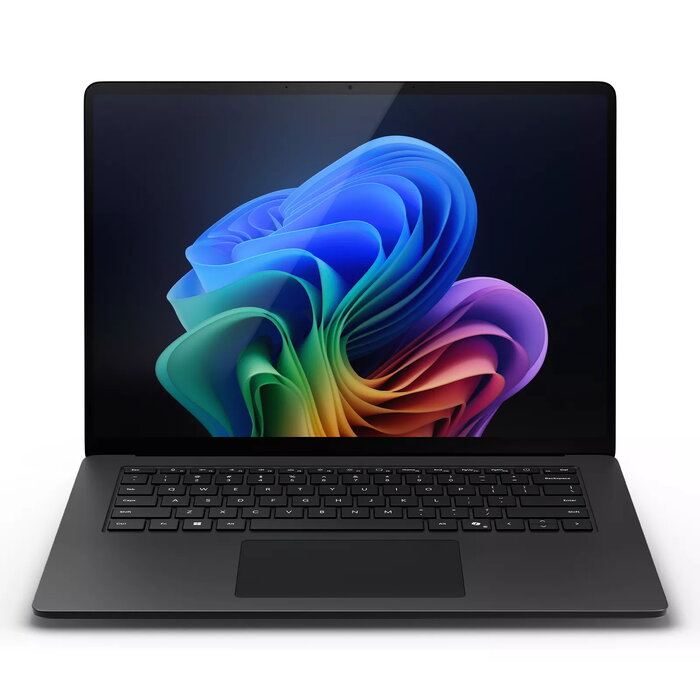
The Microsoft Surface Laptop 7 (15″) is designed for advanced AI experiences and everyday productivity. This 15-inch touchscreen laptop features a 2496 x 1664 display, Qualcomm Snapdragon processor family with Snapdragon X Elite/Plus class performance, 32 GB LPDDR5x RAM and a 1 TB SSD. Running Windows 11 Pro and weighing 1.66 kg, the Surface Laptop 7 combines thin, light construction with long battery life and Wi‑Fi 7 connectivity.
Advantages
The Surface Laptop 7 delivers strong AI acceleration via an on‑device NPU to speed up AI tasks and Windows Studio Effects without slowing the system. A 1080p HD camera with Automatic Framing and Portrait Light, together with Surface Studio Mics and Omnisonic speakers with Dolby Atmos, provide high-quality video conferencing and audio. The design also incorporates sustainability principles and Surface for Business essentials for device management and productivity.
Suitable for
- Professionals who need AI-accelerated workloads and fast multitasking
- Remote meetings and video conferencing with high-quality camera and audio
- Office productivity, content creation, and everyday use
- Users requiring a thin, lightweight 15″ laptop with large SSD storage
Key specifications
- Display: 15″ touchscreen, 2496 x 1664 resolution
- Processor family: Qualcomm Snapdragon (Snapdragon X Elite/Plus class performance)
- Memory: 32 GB LPDDR5x RAM
- Storage: 1 TB SSD
- Graphics: Qualcomm Adreno integrated GPU
- Operating system: Windows 11 Pro
- Weight: 1.66 kg
- Colour: Black
- Connectivity: Wi‑Fi 7
How to use
Start the Surface Laptop 7 by opening the lid or pressing the power button and sign in to Windows 11 Pro. Use the touchscreen and keyboard for navigation and productivity apps; connect to Wi‑Fi 7 networks for fast internet access. For AI-enhanced features such as Windows Studio Effects and Automatic Framing, enable the corresponding settings in the Camera and System preferences. Keep the system up to date through Windows Update to maintain performance and security.
Usage recommendations
For optimal AI performance and battery life, ensure the device firmware and Windows 11 Pro updates are installed, use the built-in power profiles according to workload, and connect to a stable Wi‑Fi 7 network during cloud-assisted tasks. For best video calls, position the laptop so the HD 1080p camera has a clear view and enable Portrait Light and Automatic Framing as needed.
There are no reviews yet.