
Description
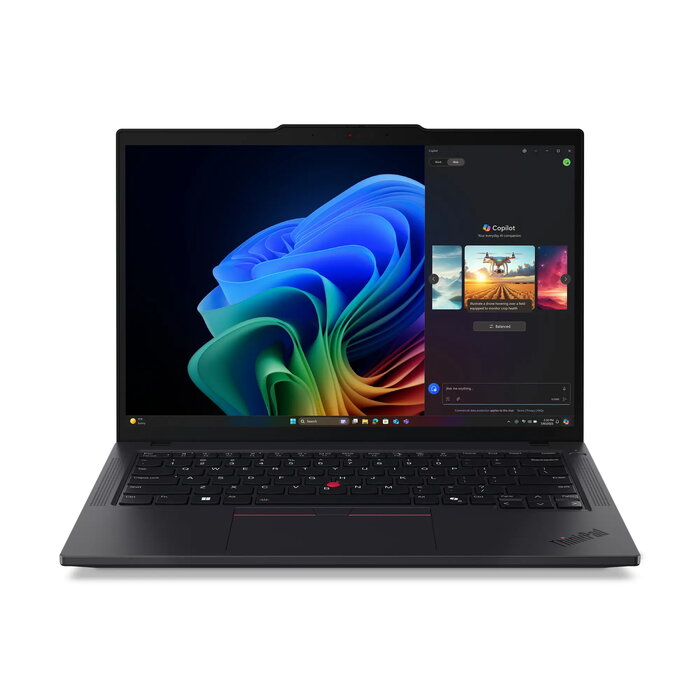
The Lenovo ThinkPad T14 Gen 6 is a 14″ business laptop with a WUXGA (1920 x 1200) IPS display, AMD Ryzen AI 5 340 six‑core processor, 32 GB DDR5 memory (2 × 16 GB) and a 512 GB PCIe 4.0 NVMe SSD. It includes integrated AMD Radeon 840M graphics, Windows 11 Pro, Wi‑Fi 7 and Bluetooth 5.4, and is offered in a black clamshell chassis. The laptop is designed for professional workflows that require a balance of mobility, multi‑tasking performance and modern connectivity.
Advantages
The device combines a modern AMD Ryzen AI 5 processor with 32 GB of DDR5‑5600 memory and a fast PCIe 4.0 NVMe SSD to deliver responsive application performance and smooth multitasking. The 14″ WUXGA IPS display provides a 16:10 aspect ratio for increased vertical workspace, while Wi‑Fi 7 and Bluetooth 5.4 offer up‑to‑date wireless connectivity. Windows 11 Pro is preinstalled to support business features and security.
Suitable for
- Office productivity and multitasking (spreadsheets, documents, email)
- Software development and light virtualization
- Web conferencing and remote collaboration
- Field work where a lightweight 14″ laptop is required
Key specifications
- Processor: AMD Ryzen AI 5 340 — 6 cores / 12 threads, base 2.0 GHz, boost up to 4.8 GHz
- Display: 14″ WUXGA (1920 x 1200) IPS, 400 nits, 16:10, 60 Hz
- Memory: 32 GB DDR5‑5600 (2 × 16 GB SO‑DIMM)
- Storage: 512 GB M.2 2280 PCIe 4.0×4 NVMe, Opal 2.0
- Graphics: AMD Radeon 840M (integrated)
- Wireless: Wi‑Fi 7 (802.11be), Bluetooth 5.4, Ethernet LAN 100/1000 Mbit/s
- Battery and power: 57 Wh battery, 65 W adapter
- Operating system: Windows 11 Pro 64‑bit
- Color and weight: Black chassis, approx. 1.38 kg
How to use
Power on the laptop using the power button and complete the Windows 11 Pro initial setup. Install corporate or personal applications from trusted sources and configure Wi‑Fi or Ethernet connectivity for network access. Use the system settings to adjust display brightness, power profiles and Bluetooth pairing. Store data on the internal 512 GB NVMe SSD or configure cloud storage according to your workflow. Keep the device on a stable, flat surface during extended use to ensure cooling and ergonomics.
Usage recommendations
For best long‑term performance, install Windows updates and driver updates from Lenovo regularly, enable hardware encryption if required by your environment (Opal 2.0 support), and use a balanced power profile when performing heavy workloads to optimize battery life and thermals.
There are no reviews yet.