
Description
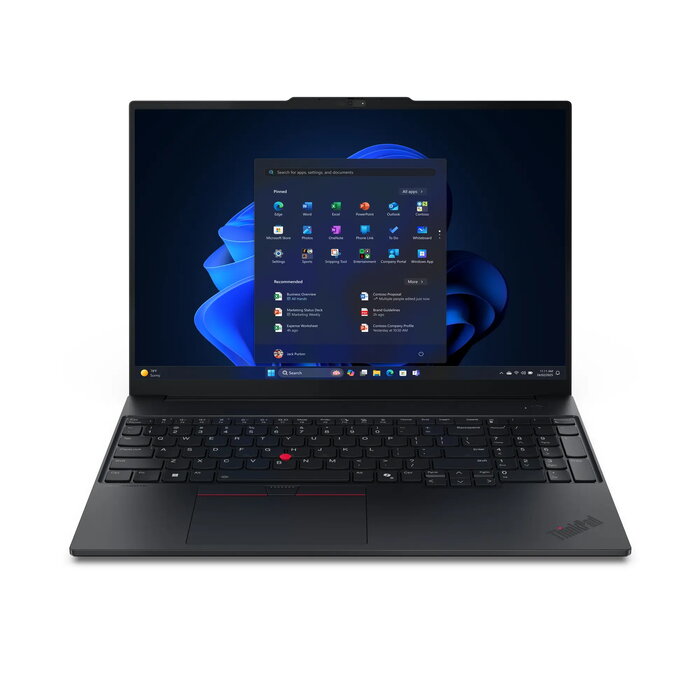
The Lenovo ThinkPad E16 Gen 3 is a 16-inch clamshell laptop designed for business use, combining Intel Core 7 performance, a 40.6 cm (16″) WUXGA (1920 x 1200) IPS display and a 512 GB SSD. With 16 GB DDR5 memory, integrated Intel graphics and Windows 11 Pro, this black laptop delivers responsive multitasking, secure sign-in options and versatile connectivity in a durable chassis weighing approximately 1.63 kg.
Advantages
The ThinkPad E16 Gen 3 offers high-performance computing thanks to the Intel Core 7 240H processor and 16 GB DDR5 RAM, enabling smooth multitasking and responsive application performance. A 512 GB SSD provides fast storage access and system boot times. Security features such as a discrete TPM, optional fingerprint reader integrated in the power button, optional IR camera and a physical webcam privacy shutter help protect data and user privacy. Multiple ports including USB-A, USB-C/Thunderbolt 4 and HDMI, plus Wi-Fi 6E and Bluetooth 5.3, enable flexible connectivity for peripherals and networks.
Suitable for
- Office productivity and multitasking (documents, spreadsheets, email)
- Business users requiring secure access and data encryption
- Remote and hybrid work with high-speed Wi-Fi 6E connectivity
- Presentations and video conferences using the 16″ WUXGA display and webcam
Key specifications
- Operating system: Windows 11 Pro 64-bit
- Processor: Intel Core 7 240H (10 cores, 24 MB cache)
- Display: 40.6 cm (16″) WUXGA 1920 x 1200 IPS, 16:10
- Memory: 16 GB DDR5-SDRAM 5600 MHz
- Storage: 512 GB SSD
- Graphics: Integrated Intel Graphics
- Connectivity: Wi‑Fi 6E (802.11ax), Ethernet LAN (100/1000 Mbit/s), Bluetooth 5.3
- Battery type: Lithium‑Ion (user-replaceable components available)
- Colour and weight: Black, approx. 1.63 kg
How to use
Power on the laptop and complete the Windows 11 Pro initial setup, including creating a user account and configuring network settings. Install business applications and drivers as required. Use the Copilot key for quick access to built-in assistance features if present on the configured model. Connect external monitors, storage or peripherals via USB-A, USB-C / Thunderbolt 4 or HDMI. For secure sign-in, enable the fingerprint reader or IR camera in Windows Hello if your model includes these options.
Usage recommendations
For reliable long-term operation, keep the system firmware and drivers up to date, use a reputable endpoint security solution, and follow company policies for backups and data encryption. Replace customer-replaceable units such as the battery or speakers only with manufacturer-approved parts.
There are no reviews yet.