
Description
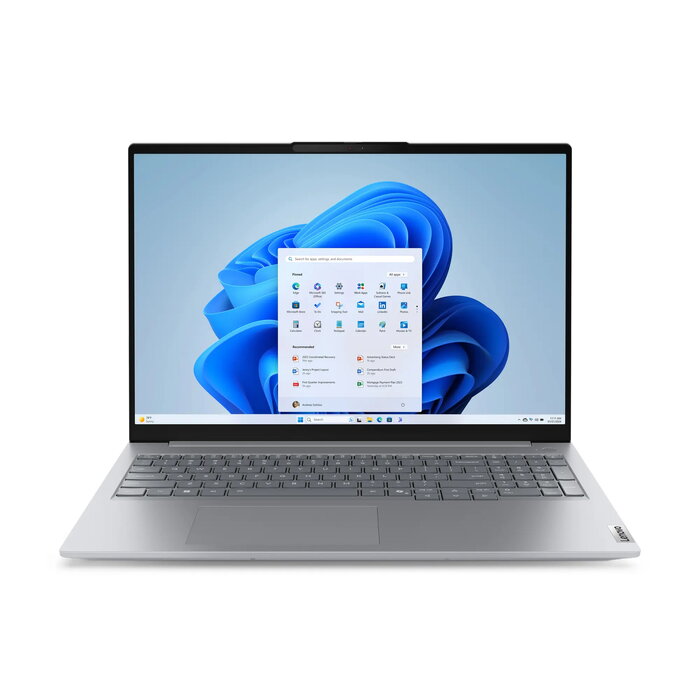
The Lenovo ThinkBook 16 G8 16″ Intel Core 7 240H 16GB 512GB Intel Graphics Windows 11 Pro is a business-oriented laptop with a 16″ WUXGA display (1920 x 1200). It combines an Intel Core 7 240H processor with 16 GB of DDR5 memory and a 512 GB SSD to provide responsive performance for multitasking, document work and light content creation. The system uses integrated Intel Graphics and ships with Windows 11 Pro preinstalled. The chassis in grey and a weight of 1.7 kg make it suitable for users who need a balance of screen area and portability.
Advantages
The device delivers fast storage and memory performance through its 512 GB SSD and 16 GB DDR5 RAM, reducing application load times and improving responsiveness. The 16″ 1920 x 1200 display provides increased vertical space compared with traditional 16:9 screens, which is useful for spreadsheets and web content. Windows 11 Pro offers business-grade security and management features out of the box. At 1.7 kg and a compact build, the laptop is portable enough for frequent travel without sacrificing screen size.
Suitable for
- Office productivity tasks (documents, spreadsheets, email)
- Remote work and virtual meetings using integrated graphics
- Multitasking with multiple business applications and browser tabs
- Light content editing and media playback
Key specifications
- Display diagonal: 16 “
- Display resolution: 1920 x 1200
- Processor family: Intel Core 7
- Processor model: 240H
- Internal memory: 16 GB (DDR5)
- SSD capacity: 512 GB
- Graphics: Intel integrated graphics
- Operating system installed: Windows 11 Pro
- Weight: 1.7 kg
- Product colour: Grey
How to use
Power on the Lenovo ThinkBook 16 G8 and complete the initial Windows 11 Pro setup using the on-screen prompts. Install required business applications and update Windows and drivers via Windows Update to ensure optimal stability. Use the SSD for the operating system and commonly used applications to benefit from faster boot and load times. For data organization, keep large archives on external drives or cloud storage if needed.
Usage recommendations
For reliable day-to-day performance, keep Windows updates and driver software current, and monitor storage usage on the 512 GB SSD. When travelling, use a padded laptop sleeve and avoid exposing the device to extreme temperatures or moisture.

There are no reviews yet.