
Description
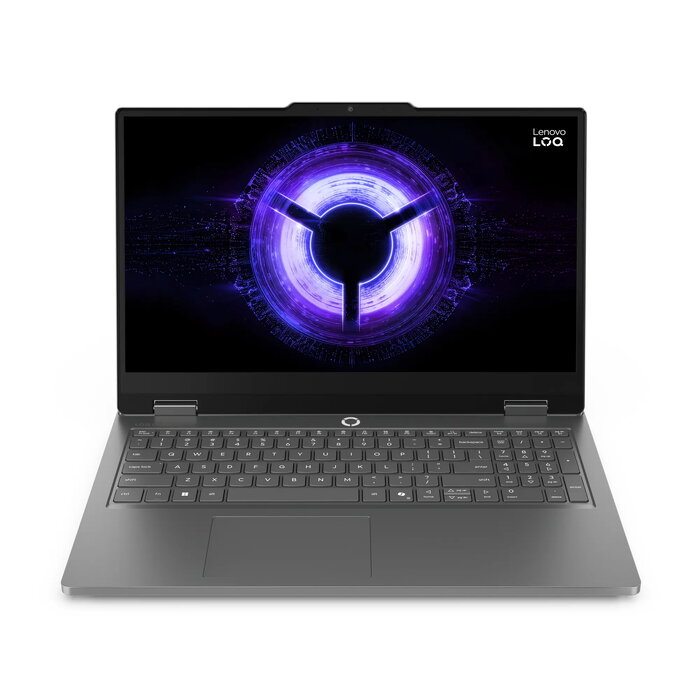
The Lenovo LOQ Essential 15IRX11 is a 15.6″ laptop designed for everyday productivity, multimedia and entry-to-mid-level gaming. It combines a Full HD 1920 x 1080 display with an Intel Core i5-13450HX processor, 16 GB DDR5 memory and a 512 GB solid-state drive to deliver responsive performance for multitasking, content playback and creative applications. The system runs Windows 11 Home and includes NVIDIA GeForce RTX 5050 discrete graphics for improved frame rates and hardware-accelerated tasks.
Advantages
The laptop offers a balanced hardware configuration that supports smooth multitasking and faster application loading thanks to DDR5 memory and an NVMe SSD. The NVIDIA GeForce RTX 5050 provides dedicated graphics performance suitable for gaming, video editing and GPU-accelerated workflows. A 15.6″ Full HD screen ensures clear visuals for work and entertainment, while built-in Wi-Fi 6 and modern connectivity make network and online tasks efficient.
Suitable for
- Everyday office work and productivity software
- Multimedia playback and streamingCasual and mid-range gaming
- Photo and video editing at hobbyist to semiprofessional level
- Remote learning and online meetings
Key specifications
- Display: 15.6″ diagonal, 1920 x 1080 (Full HD)
- Processor: Intel Core i5-13450HX, base frequency 2.4 GHz
- Memory: 16 GB DDR5 RAM
- Storage: 512 GB SSD (NVMe)
- Graphics: NVIDIA GeForce RTX 5050 discrete GPU
- Operating system: Windows 11 Home
- Weight: approximately 2.3 kg
- Color: Grey
- Wireless: Wi-Fi 6
How to use
Power on the laptop using the integrated power button and complete the Windows 11 initial setup by following on-screen prompts. Install required applications from trusted sources and restore or transfer data from backups as needed. For gaming or graphics-intensive applications, install the latest GPU drivers from the graphics provider to ensure optimal performance. Connect to a Wi-Fi 6 network or wired LAN for stable online access and pair peripherals such as external displays, mice or keyboards via available ports and Bluetooth.
Usage recommendations
To maintain system responsiveness, keep the operating system and drivers up to date, use periodic disk cleanup and enable hardware-accelerated features in supported apps. For extended gaming or rendering sessions, ensure adequate ventilation and consider using a laptop stand or cooling pad to manage temperatures and sustain performance levels.
There are no reviews yet.