
Description
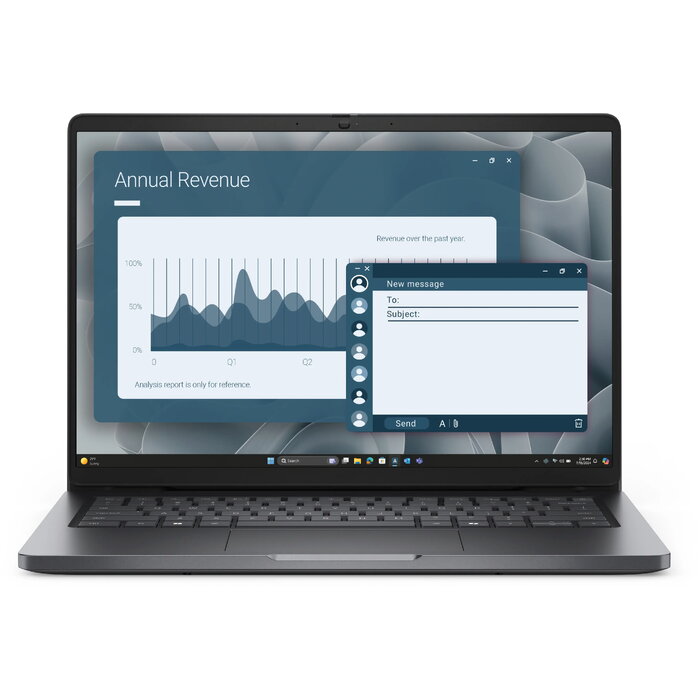
The Dell Pro PC14255 is a 14″ laptop with a 1920 x 1200 Full HD+ display and a business-oriented configuration designed for mobile productivity. It is powered by an AMD Ryzen 5 PRO 230 processor with a base frequency of 3.5 GHz, combined with 16 GB of DDR5 memory and a 512 GB solid-state drive to deliver responsive multitasking and fast application startup. Integrated AMD Radeon graphics handle everyday visuals and multimedia, while Windows 11 Pro provides advanced security and management features. The chassis in black and a weight of approximately 1.36 kg make the system suitable for travel and remote work.
Advantages
The combination of a Ryzen 5 PRO processor and 16 GB DDR5 memory ensures smooth performance for office applications, web conferencing and light content creation. The 1920 x 1200 Full HD+ display offers extra vertical space compared with a standard 1080p panel, improving document and spreadsheet visibility. A 512 GB SSD provides fast system boot and application load times while reducing physical shock sensitivity compared with mechanical drives. Windows 11 Pro includes features for secure business use and simplified device management. The laptop’s compact 14″ form factor and weight near 1.36 kg support portability without sacrificing a full-size keyboard area.
Suitable for
- Office productivity and document editing
- Remote work and video conferencing
- Web browsing and cloud-based applications
- Light multimedia playback and image viewing
Key specifications
- Display: 14″ Full HD+ (1920 x 1200)
- Processor: AMD Ryzen 5 PRO 230, 3.5 GHz
- Memory: 16 GB DDR5
- Storage: 512 GB SSD
- Graphics: Integrated AMD Radeon graphics
- Operating system: Windows 11 Pro
- Weight: approx. 1.36 kg
- Colour: Black
How to use
Power on the laptop, complete the initial Windows 11 Pro setup and sign in with your work or Microsoft account to enable synchronization and security policies. Use the SSD for installing required productivity software and keep the operating system updated through Windows Update. For video calls, connect a headset or use the built-in microphone and camera; adjust display brightness and power settings in Windows to extend battery life while mobile. Regularly back up critical data to cloud storage or an external drive to protect against accidental loss.
Usage recommendations
For best day-to-day performance, keep the system firmware and drivers current, avoid running excessive background tasks simultaneously, and use the laptop on stable, flat surfaces to maintain cooling. When working on long documents or spreadsheets, the Full HD+ display’s extra vertical pixels improve on-screen content visibility. Use Windows 11 Pro security features such as BitLocker and Windows Hello (if available) to protect sensitive data.
There are no reviews yet.