
Description
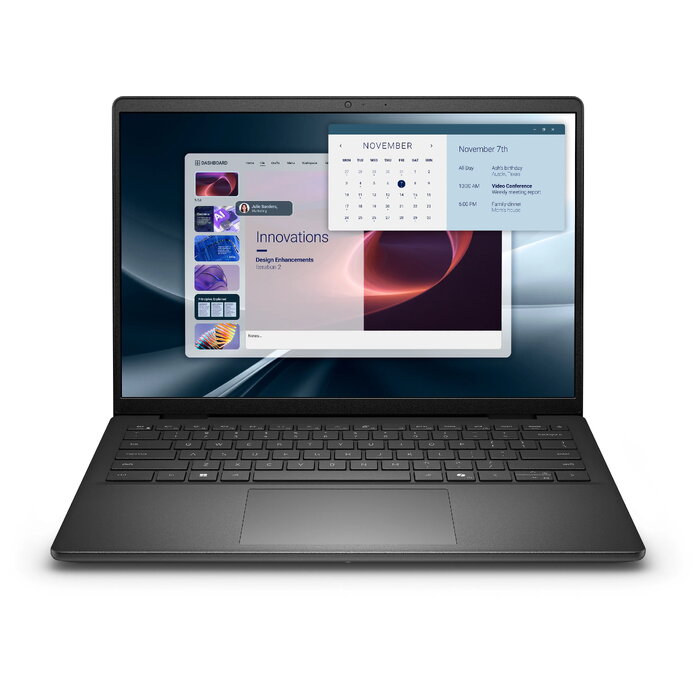
Compact Dell Pro 14 Essential PV14255 laptop with a clamshell black chassis, powered by an AMD Ryzen 5 220 processor (3.5 GHz) and equipped with a 14″ Full HD+ (1920 x 1200) IPS WVA display. The system includes 16 GB DDR5 RAM, a 512 GB SSD, integrated AMD Radeon 740M graphics, Wi‑Fi 6 and Bluetooth, a 41 Wh lithium polymer battery with 65 W charging, and ships with Windows 11 Pro 64-bit for business and everyday productivity.
Advantages
The Dell Pro 14 Essential offers responsive performance for common office tasks thanks to the AMD Ryzen 5 220 CPU and 16 GB DDR5 memory. A 512 GB SSD provides fast boot and application load times while the 14″ Full HD+ IPS WVA screen gives a taller 16:10 aspect ratio for more vertical workspace. Built-in Wi‑Fi 6 and Bluetooth ensure modern connectivity, and Windows 11 Pro adds business-focused features and security.
Suitable for
- Office and productivity applications (text editing, spreadsheets, email)
- Remote work and videoconferencing
- Web browsing and media streaming
- Light photo editing and graphics tasks that use integrated AMD Radeon 740M
Key specifications
- Model: Dell Pro 14 Essential PV14255
- Processor: AMD Ryzen 5 220, 3.5 GHz, 6 cores
- Display: 14″ Full HD+ (1920 x 1200) IPS WVA, 16:10
- Memory: 16 GB DDR5 (1 x 16 GB)
- Storage: 512 GB SSD
- Graphics: Integrated AMD Radeon 740M
- Connectivity: Wi‑Fi 6 (802.11ax), Bluetooth
- Battery: Lithium Polymer 41 Wh, 65 W charging
- Operating system: Windows 11 Pro 64-bit
- Colour: Black
How to use
Power on the laptop using the power button and complete the Windows 11 Pro initial setup. Connect to a Wi‑Fi network or use Bluetooth for peripherals. Use the built-in SSD for installing applications and saving files; consider enabling Windows Update and antivirus protections. Charge the device with the supplied 65 W adapter and avoid full discharge to prolong battery life.
Usage recommendations
For reliable day-to-day performance, keep the system firmware and drivers updated, maintain at least 15% free SSD space for optimal responsiveness, and use the laptop on a stable, flat surface to ensure adequate ventilation.
There are no reviews yet.