
Description
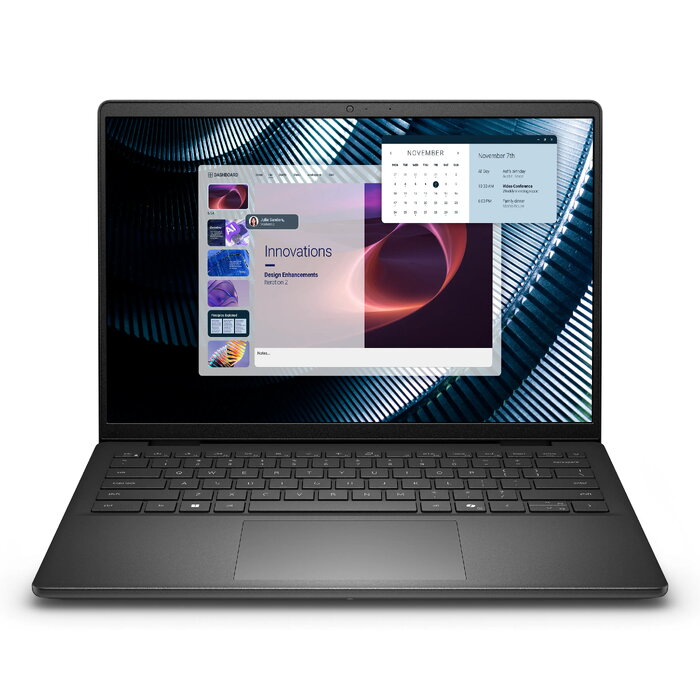
The DELL Pro 14 Essential PV14250 is a compact 14″ clamshell laptop with a 14″ Full HD+ (1920 x 1200) IPS WVA display, Intel Core 5 120U processor with 10 cores, 16 GB DDR5 memory, and a 512 GB SSD. It runs Windows 11 Pro and comes in a black chassis, weighing approximately 1.69 kg. The laptop provides integrated Intel graphics, Wi‑Fi 6 and Bluetooth connectivity, and a 54 Wh Li‑ion battery with a 65 W charger, offering a balance of performance and portability for everyday productivity.
Advantages
The PV14250 delivers a high-resolution 16:10 screen for improved vertical workspace, a modern Intel Core 5 120U CPU and DDR5 RAM for responsive multitasking, and fast NVMe storage for quick boot and file access. Built-in Wi‑Fi 6 and Bluetooth ensure current wireless standards, while Windows 11 Pro provides business-friendly features. Its lightweight, black design supports mobile use without sacrificing essential connectivity and performance.
Suitable for
- Office productivity and document editing
- Web browsing and video conferencing
- Light multitasking and business applications
- Students and mobile professionals who need a portable laptop
Key specifications
- Model: DELL Pro 14 Essential PV14250 (MPN: J8JNW)
- Display: 14″ Full HD+ (1920 x 1200), IPS WVA, 16:10
- Processor: Intel Core 5 120U, 10 cores
- Memory: 16 GB DDR5 (1 x 16 GB)
- Storage: 512 GB SSD
- Graphics: Integrated Intel Graphics
- Connectivity: Wi‑Fi 6 (802.11ax), Bluetooth
- Battery: Lithium‑Ion 54 Wh, charger 65 W
- Operating system: Windows 11 Pro 64-bit
- Weight: 1.69 kg
- Colour: Black
How to use
Unpack the laptop, connect the charger and perform the initial Windows 11 Pro setup following the on-screen prompts. Use the built-in Windows tools to configure Wi‑Fi 6 and Bluetooth connections. Install required productivity applications and transfer data to the 512 GB SSD. For best results, keep the system updated via Windows Update and use the Dell support utilities for driver updates.
Usage recommendations
For sustained performance, avoid blocking ventilation, install available firmware and driver updates, and use a quality surge protector when charging. If heavier graphical workloads are needed, consider a system with a discrete GPU; this model is optimized for everyday productivity and mobility.
There are no reviews yet.