
Description
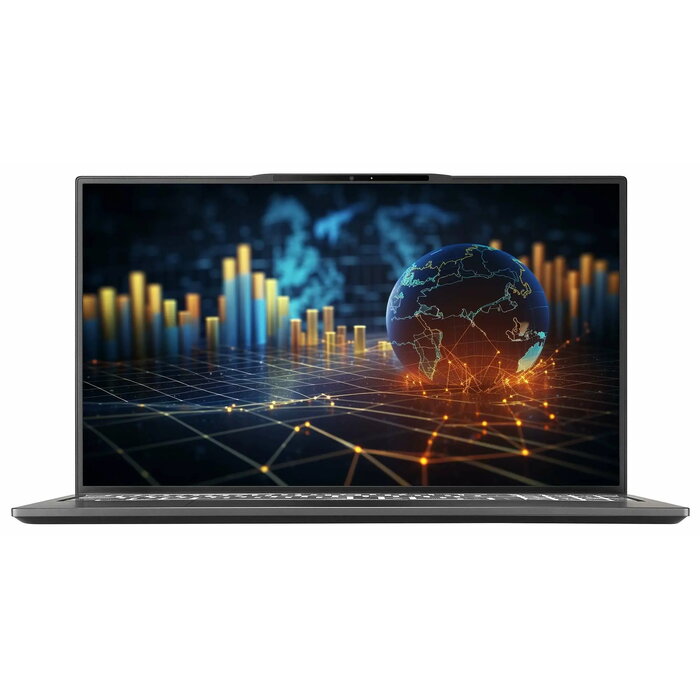
The CAPTIVA Power Starter I91-648CH 15.6″ Intel Core i5 16GB SSD is a compact laptop designed for everyday productivity and multimedia use. It features a 15.6-inch Full HD (1920 x 1080) display that delivers clear visuals for documents, web browsing and video playback. Powered by an Intel Core i5 processor with a base frequency of 1.3 GHz and equipped with 16 GB of DDR5 memory and a fast SSD, the device balances responsiveness and portability in a slim black chassis weighing 1.59 kg. Built-in Wi-Fi 6 ensures stable wireless connectivity for remote work and streaming.
Advantages
The combination of an Intel Core i5 processor and 16 GB DDR5 RAM supports smooth multitasking and responsive application performance. The 15.6″ Full HD screen provides sharp text and accurate image reproduction for daily tasks. A solid-state drive offers fast boot times and quick access to files while reducing power consumption and mechanical noise. Lightweight construction and modern wireless connectivity make the laptop convenient to carry between home, office and educational settings.
Suitable for
- Office work and document editing
- Web browsing, video conferencing and online learning
- Multimedia playback and casual photo viewing
- Students and mobile professionals who need a portable work device
Key specifications
- Display diagonal: 15.6 inches
- Display resolution: 1920 x 1080 (Full HD)
- Processor: Intel Core i5, 1.3 GHz
- Memory: 16 GB DDR5-SDRAM
- Storage: 500 GB SSD
- Wireless: Wi-Fi 6 (802.11ax)
- Weight: 1.59 kg
- Colour: Black
How to use
Unpack the laptop and connect the power adapter for the initial charge before first use. Power on the device and follow any on-screen setup instructions to configure the operating system, user accounts and network settings. Install updates and preferred applications, migrate or restore files to the SSD as needed, and adjust display brightness and power settings for longer battery life. Use Wi-Fi 6 for optimal wireless performance and connect peripheral devices such as a mouse, external drive or HDMI display when required.
Usage recommendations
For sustained performance, keep the system software and drivers up to date, avoid blocking ventilation openings, and use power plans appropriate to your tasks. Regularly back up important data stored on the SSD and consider enabling automatic updates and security protections for safe daily use.
There are no reviews yet.