
Description
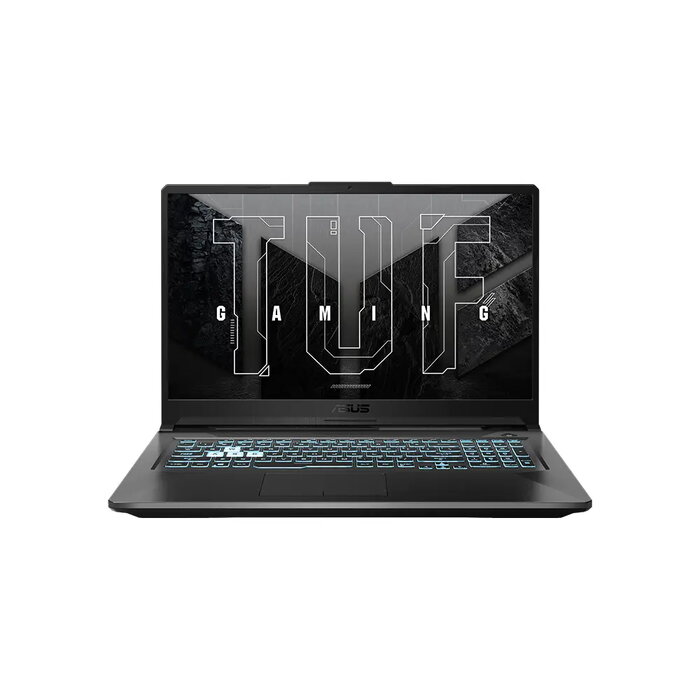
The ASUS FA706NF-HX006W is a 17.3″ laptop designed to balance performance and modern styling. It features a Full HD 1920 x 1080 display, an AMD Ryzen 5 7535HS processor (3.3 GHz), 16 GB DDR5 memory and a 512 GB SSD. Graphics are handled by an integrated AMD Radeon 660M and a discrete NVIDIA GeForce RTX 2050, and the system ships with Windows 11 Home and Wi‑Fi 6E support. The chassis is available in Eclipse Gray or Graphite Black with a textured honeycomb base and hairline brushed-metal accents for a professional, understated look.
Advantages
The laptop combines a powerful Ryzen 5 CPU and RTX 2050 GPU suitable for multitasking and graphically demanding applications while maintaining fast system responsiveness with 16 GB DDR5 RAM and a 512 GB SSD. Its large 17.3″ Full HD display provides ample screen space for work and entertainment. The textured honeycomb grip on the base improves handling and doubles as ventilation, and the brushed-metal palm area adds a refined, durable finish.
Suitable for
- Multitasking and office productivity
- Content creation and photo/video editing
- Casual and mid-range gaming
- Media consumption and streaming
Key specifications
- Display: 17.3″ Full HD (1920 x 1080)
- Processor: AMD Ryzen 5 7535HS, 3.3 GHz
- Memory: 16 GB DDR5
- Storage: 512 GB SSD
- Graphics: AMD Radeon 660M (integrated) + NVIDIA GeForce RTX 2050 (discrete)
- Operating system: Windows 11 Home
- Connectivity: Wi‑Fi 6E
- Weight: 2.6 kg
- Colours: Eclipse Gray, Graphite Black
How to use
Set up the laptop on a stable surface, connect the power adapter for initial charging, and follow the on-screen Windows 11 setup wizard. Install required drivers and updates via Windows Update and the ASUS support site to ensure optimal performance and compatibility. Use the large display and available connectivity for multitasking, creative applications or gaming sessions; adjust power and graphics settings in Windows and NVIDIA control panel to balance performance and battery life as needed.
Usage recommendations
For improved cooling and longevity, place the laptop on a flat hard surface to allow the honeycomb vents to function effectively. Keep drivers and BIOS updated and consider using a cooling pad during extended gaming or heavy rendering tasks.
There are no reviews yet.