
Description
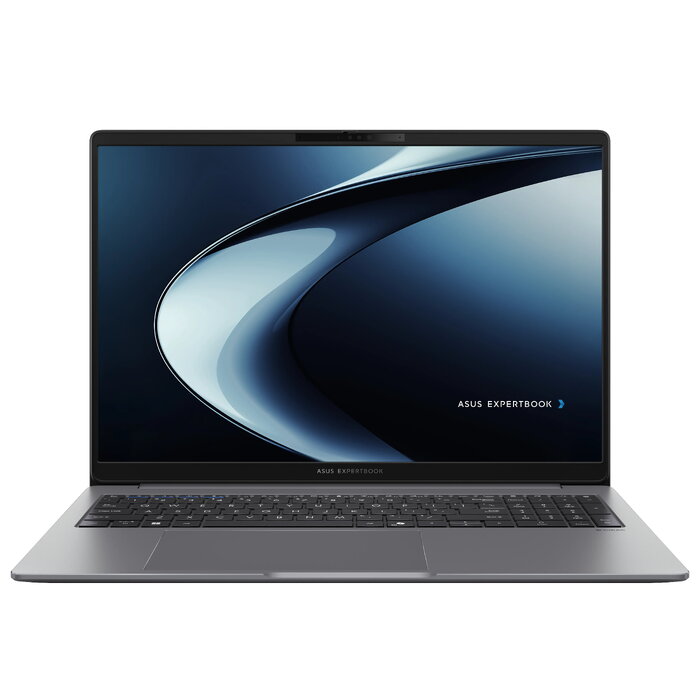
The ASUS ExpertBook P3 is a business laptop designed for mobile productivity and security. Powered by up to AMD Ryzen AI 7 processors, this 16-inch clamshell notebook combines a 2.5K anti-glare display option, dual-SSD expandability and business-grade protection, making it suitable for everyday office workloads and AI-supported applications. It comes preinstalled with Windows 11 Pro and includes enterprise-class security features such as a TPM 2.0 chip, a built-in fingerprint sensor and a NIST SP 800-155 compliant BIOS.
Advantages
The ExpertBook P3 offers a balance of performance and portability with AMD Ryzen AI processors and up to 16 GB DDR5 memory and 512 GB SSD storage in the supplied configuration. Its high-resolution anti-glare display reduces reflections for more comfortable long-term use. Security is handled at multiple levels — firmware, hardware and biometric — to protect sensitive data while on the move. Expandable storage and modern connectivity including Wi‑Fi 7 and Bluetooth 5.4 support versatile workplace setups.
Key specifications
- Operating system: Windows 11 Pro 64-bit
- Processor: AMD Ryzen AI 5 330, 2.0 GHz, 4 cores (platform supports up to AMD Ryzen AI 7)
- Display: 40.6 cm (16″) WUXGA 1920 x 1200 IPS-level, 16:10 (anti-glare / 2.5K option available)
- Memory: 16 GB DDR5-SDRAM (1 x 16 GB)
- Storage: 512 GB SSD (dual-SSD expandability supported)
- Graphics: AMD Radeon 820M
- Connectivity: Wi‑Fi 7 (802.11be), Ethernet LAN 10/100/1000 Mbit/s, Bluetooth 5.4
- Battery: Lithium‑Ion 70 Wh with 65 W charger
- Security: TPM 2.0, built-in fingerprint sensor, NIST SP 800-155 compliant BIOS
- Chassis / color: Work laptop, clamshell design, Grey
How to use
Set up the ASUS ExpertBook P3 by completing the Windows 11 Pro initial configuration and installing required business applications. Use the built-in fingerprint sensor to enroll your biometric profile for secure, fast logins and enable TPM-based features for disk encryption. Connect to your network via Wi‑Fi 7 or Ethernet and add external storage if you need additional capacity using the available SSD expansion. Adjust display settings for optimal brightness and anti-glare comfort during extended work sessions.
Recommendations
For typical business users, keep system drivers and BIOS updated to maintain security and performance. If you run heavier AI workloads, consider configurations with higher-tier Ryzen AI processors or additional SSD storage. Use full-disk encryption and enable Windows updates to ensure ongoing protection of sensitive data.
There are no reviews yet.