
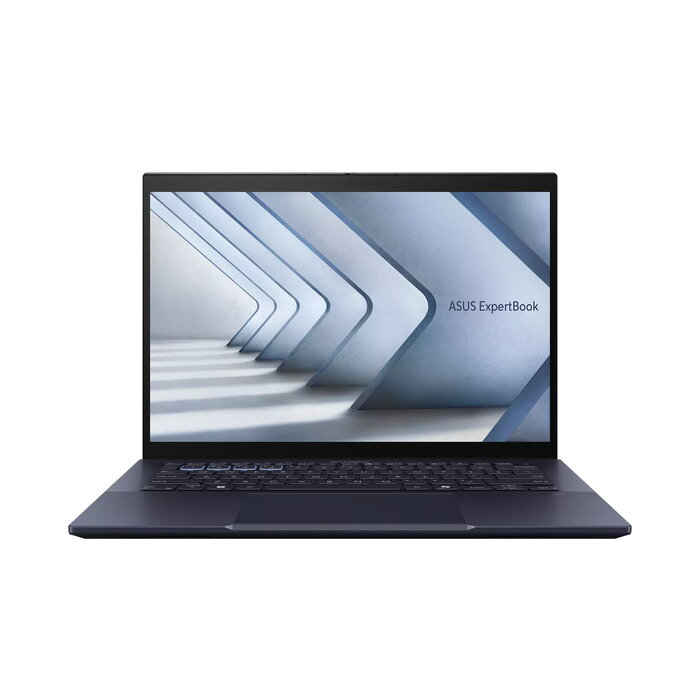
Description
The ASUS ExpertBook B5 B5404CVF-Q60024X is a 14″ business laptop designed for professionals who need a lightweight, AI-ready device. It pairs an Intel Core i7-1355U processor with Intel vPro and discrete NVIDIA GeForce RTX 2050 graphics, and includes 16 GB DDR5 RAM, a 512 GB SSD and a 1920 x 1200 WUXGA 14″ touchscreen. The laptop runs Windows 11 Pro, weighs approximately 1.67 kg and offers advanced connectivity including Wi-Fi 6E and optional 4G for reliable on-the-go productivity.
Advantages
The ExpertBook B5 delivers a balance of performance and mobility with a high-efficiency Intel Core i7 processor, dedicated NVIDIA graphics for heavier visual tasks, and fast DDR5 memory and SSD storage for responsive multitasking. A taller 16:10 touchscreen increases usable screen area for documents and web content, while AI features such as intelligent camera control and noise cancellation improve video conferencing and voice clarity. Security and manageability are supported through Intel vPro and Windows 11 Pro.
Suitable for
- Business professionals who travel frequently and need a lightweight laptop
- Office work involving multitasking, spreadsheets and presentations
- Remote and hybrid meetings with AI-enhanced camera and audio
- Light to moderate creative work and GPU-accelerated applications
- IT administrators requiring Intel vPro manageability
Key specifications
- Display: 14″ WUXGA touchscreen (1920 x 1200), 16:10 aspect ratio
- Processor: Intel Core i7-1355U with Intel vPro
- Memory: 16 GB DDR5 RAM
- Storage: 512 GB SSD
- Graphics: Intel Iris Xe integrated + NVIDIA GeForce RTX 2050 discrete
- Operating system: Windows 11 Pro
- Connectivity: Wi-Fi 6E, optional 4G
- Weight: approx. 1.67 kg
- Colour: Black
How to use
Power on the laptop and complete the Windows 11 Pro initial setup. Use the touchscreen for navigation and touch-enabled applications, and connect to Wi‑Fi 6E or a 4G network for internet access. Launch productivity or creative applications as required; the discrete NVIDIA GeForce RTX 2050 will assist with GPU-accelerated tasks. For video calls, enable the AI camera and noise cancellation features in the system settings or bundled software to improve image framing and audio clarity.
Usage recommendations
For sustained performance, keep the system firmware and drivers up to date and use the laptop on a hard, flat surface to ensure adequate ventilation. Use Windows power plans to balance battery life and performance when working away from power outlets.
There are no reviews yet.