
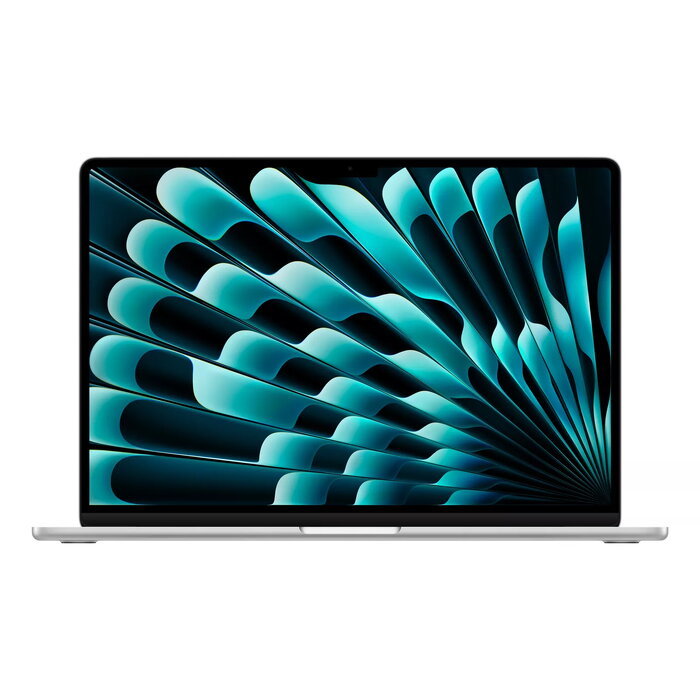
Description
MacBook Air 15″ with the M4 chip combines thin, lightweight design and long battery life with improved processing power. The 15.3″ Retina display (2880 x 1864) delivers crisp visuals for work and entertainment, while 24 GB of RAM and a 512 GB SSD provide responsive multitasking and fast file access. macOS Sequoia and Apple Intelligence features are included to streamline everyday tasks. The laptop weighs 1.51 kg and is available in a refined Silver finish.
Advantages
The M4 system-on-a-chip integrates a 10-core CPU and 10-core GPU to deliver balanced performance for office applications, creative software and light content creation. Up to 18 hours of battery life supports extended use away from power outlets. The 15.3″ Retina display offers high resolution and accurate colors for detailed viewing, while the 512 GB SSD and 24 GB RAM ensure fast app loading and smooth multitasking. macOS Sequoia and built-in Apple Intelligence provide seamless integration with the Apple ecosystem and productivity features optimized for this hardware.
Suitable for
- Office work and multitasking
- Photo editing and light video editing
- Remote work and study
- Media consumption and web browsing
- On-the-go productivity
Key specifications
- Display: 15.3″ Retina, 2880 x 1864
- Processor: Apple M4 (10-core CPU, 10-core GPU)
- Memory: 24 GB RAM
- Storage: 512 GB SSD
- Graphics: Apple GPU
- Operating system: macOS Sequoia
- Weight: 1.51 kg
- Color: Silver
- MPN: MC6J4KS/A, EAN: 195949891700
How to use
Power on the MacBook Air and follow the macOS setup assistant to configure language, Apple ID and system preferences. Install or sign in to the apps you need from the App Store or migrate data from another device using Migration Assistant. Adjust display, battery and keyboard settings in System Settings to match your workflow. For best performance, keep macOS and apps updated and store frequently used files on the internal SSD or in iCloud for quick access.
Usage recommendations
To maximize battery lifespan and performance, avoid extreme temperatures, perform regular software updates, and use the built-in Energy Saver settings when working on battery. For intensive creative tasks, close unused apps and consider external storage for large media libraries.
There are no reviews yet.