
Description
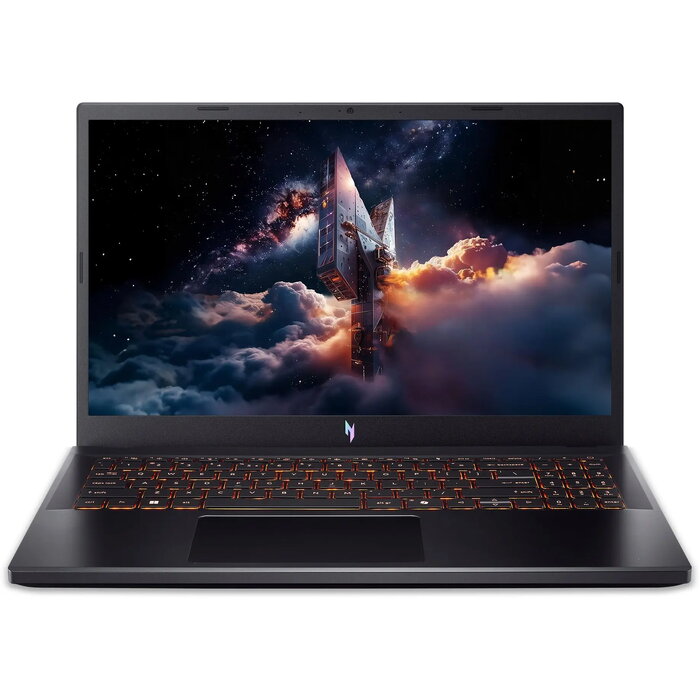
The Acer Nitro V 15 ANV15-52-52MA is a 15-inch laptop equipped with an Intel i5-13420H processor, 16 GB of RAM and a 512 GB SSD. It features NVIDIA RTX 5050 graphics and a 165 Hz display, delivering responsive performance, fast storage and smooth visuals for gaming, content creation and multitasking. This configuration balances CPU performance and dedicated GPU capability to run demanding applications and everyday tasks.
Advantages
The combination of an Intel i5-13420H processor and NVIDIA RTX 5050 graphics provides improved compute and rendering performance for modern games and GPU-accelerated creative software. A 165 Hz display reduces motion blur and offers smoother visuals in fast-paced scenes. With 16 GB of RAM the system supports multitasking and larger workloads, while the 512 GB SSD ensures quick system responsiveness and faster load times. The specification is suitable for users who need a portable 15-inch laptop with solid performance for both work and entertainment.
Suitable for
- Gaming at high refresh rates and competitive play where a 165 Hz display is beneficial
- Content creation workflows that use GPU acceleration with NVIDIA RTX 5050
- Multitasking and daily productivity with 16 GB RAM
- Fast system boot and application loading using a 512 GB SSD
- Students and professionals who need a capable 15-inch laptop
Key specifications
- Model: Acer Nitro V 15 ANV15-52-52MA
- Processor: Intel i5-13420H
- Memory: 16 GB RAM
- Storage: 512 GB SSD
- Graphics: NVIDIA RTX 5050
- Display: 15-inch, 165 Hz
- Brand: Acer
- MPN: NH.QZ7EP.002
- EAN: 4711474537027
- Category: Laptops
How to use
Set up Windows and install the latest drivers from Acer and NVIDIA to ensure optimal CPU and GPU performance. Use Acer utilities such as NitroSense (if available) to monitor temperatures, fan profiles and performance modes. For gaming, choose in-game display settings and set the refresh rate to match the 165 Hz panel. For content creation, enable GPU-accelerated options in supported applications to utilize the RTX 5050. Keep system firmware and graphics drivers up to date for stability and compatibility.
Usage recommendations
Operate the laptop on a hard, flat surface to maintain cooling efficiency, avoid blocking vents, and use the recommended power profile during intensive workloads. Back up important data stored on the 512 GB SSD and consider external storage for large media projects.

There are no reviews yet.