
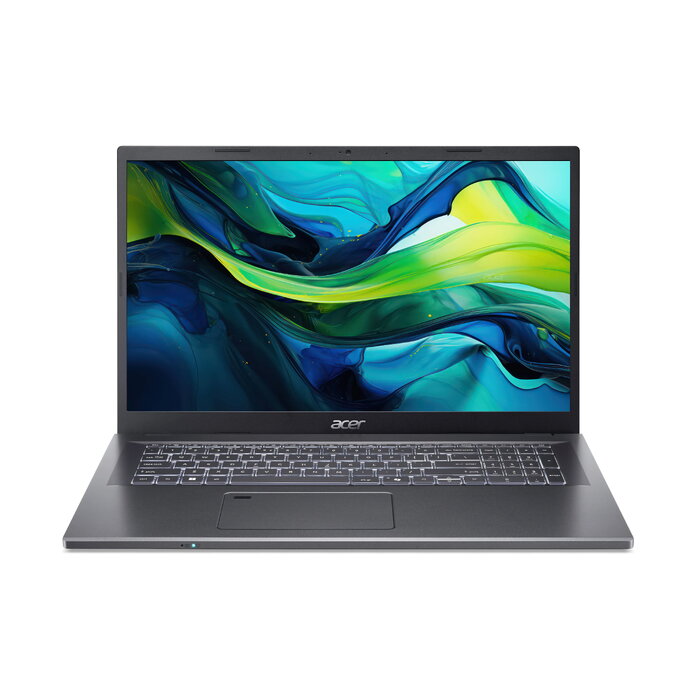
Description
The Aspire laptop offers a balanced combination of performance and portability for everyday productivity. Equipped with Intel® Core™ processors and NVIDIA® GeForce RTX™ graphics, it supports multitasking, content creation and multimedia playback. Models include options up to 32 GB LPDDR5 memory and up to 1 TB M.2 SSD, multiple display sizes up to 17.3″ with up to QHD resolution, and a thin aluminium chassis designed for mobility.
Advantages
Aspire devices deliver hybrid processing architecture for improved real-world performance and include Intel® Unison™ for tight PC–phone integration: transfer files and photos, manage calls and messages, and handle notifications from the laptop. The product lineup provides a user-centric experience with dedicated AI features, a Copilot in Windows key, enhanced webcam and audio (Acer PurifiedVoice™ and PurifiedView™) and a variety of I/O options such as Thunderbolt 4 Type-C, HDMI 2.1, Wi‑Fi 6E and Bluetooth with LE audio support. Energy-efficient design choices and recyclable packaging contribute to a reduced environmental footprint.
Key specifications
- Operating system: Windows 11 Home 64-bit
- Processor: Intel® Core™ i7-13620H (10 cores, 24 MB cache)
- Graphics: Intel® UHD Graphics (discrete NVIDIA® GeForce RTX™ available on some models)
- Display: 43.9 cm (17.3″) Full HD 1920 x 1080 IPS, matt
- Memory: 16 GB DDR4-SDRAM (configurable up to 32 GB LPDDR5 on certain models)
- Storage: 1 TB M.2 SSD
- Wireless: Wi‑Fi 6E (802.11ax), Bluetooth 5.1/5.3 (model dependent)
- Battery: Lithium‑Ion 53 Wh, up to ~8.5 h (depending on usage), 65 W charger
- Chassis: Thin aluminium design, Clamshell Grey
- Ports: Thunderbolt 4 Type‑C, HDMI 2.1 (varies by model)
- Environmental: Packaged in 100% recyclable materials and FSC‑certified paper; back cover contains 30% recycled plastic; Energy Star and EPEAT Silver registration on qualifying models
How to use
Start the laptop and complete the Windows 11 setup to sign in with your Microsoft account. Use Intel® Unison™ to link a compatible phone for file transfers, calls and message sync. Adjust performance profiles via the AcerSense™ key to switch between Performance, Normal and Silent modes. For video calls enable Acer PurifiedView™ on the 1080p webcam and use PurifiedVoice™ with the dual digital microphones to improve audio clarity. Keep system firmware and drivers updated through AcerSense™ and manage battery health and performance settings within the application.
Recommendations
Choose the display size and memory configuration that match your workflow: larger screens and higher RAM are preferable for multimedia editing and heavy multitasking, while smaller sizes and standard configurations suit general office and study use. Regularly update drivers and use the AcerSense™ tools to monitor system health and optimize battery life.
There are no reviews yet.