
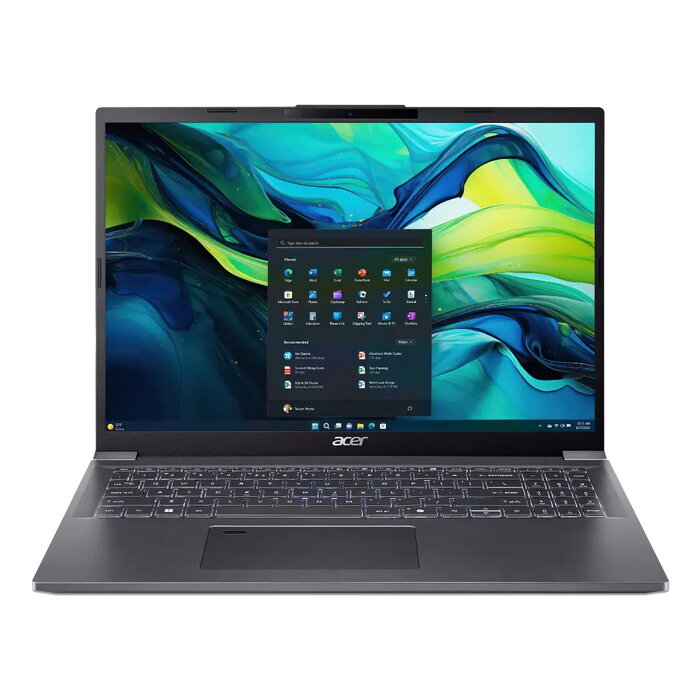
Description
The Aspire laptop combines Intel® processing and NVIDIA® graphics to handle a wide range of everyday and creative tasks. Configurations include Intel® Core™ processors and NVIDIA® GeForce or Intel Arc graphics, up to 32 GB LPDDR5 memory and up to 1 TB M.2 SSD storage. Models are available with display sizes from 14″ to 17.3″, including high-resolution QHD and OLED options, and include features such as Intel® Unison™ for phone integration, Windows Copilot access, and AcerSense™ system controls.
Advantages
Aspire laptops provide balanced performance for work and multimedia through modern processors and dedicated graphics, fast PCIe storage, and generous RAM capacity. Display options with slim bezels and blue-light reduction support long viewing sessions. Built‑in software tools like Intel® Unison™ and AcerSense™ improve productivity by enabling phone‑PC integration, system mode selection, AI-enhanced camera and audio features, and easy performance and battery management. The product packaging and some components use recyclable materials, and the design holds Energy Star and EPEAT Silver registrations.
Key specifications
- Operating system: Windows 11 Home 64-bit
- Processor: Intel Core Ultra 7 155H (24 MB cache)
- Processor cores: 16
- Display: 40.6 cm (16″) WUXGA+ 2048 x 1280 OLED, 16:10
- Memory: 16 GB LPDDR5x-SDRAM (up to 32 GB depending on configuration)
- Storage: 512 GB SSD (configurable up to 1 TB M.2 SSD)
- Graphics: Intel Arc Graphics (some configurations offer NVIDIA GeForce RTX)
- Wireless: Wi‑Fi 6 (802.11ax), Bluetooth 5.3
- Battery: Lithium‑Ion 53 Wh (typical runtime ~8 h, charger 65 W)
- Colours/finish: Clamshell Grey
How to use
Set up the laptop by completing the Windows 11 initial configuration and installing any available system updates. Use AcerSense™ via the dedicated key to select performance, normal or silent modes and to access the Experience Zone for AI camera and audio enhancements. Pair your phone with Intel® Unison™ to transfer files, manage calls and messages and receive notifications on the PC. Manage storage and memory needs by using built‑in settings and the preinstalled app store for updates and utilities.
Recommendations
For daily productivity and multimedia tasks choose a configuration with at least 16 GB RAM and a 512 GB SSD. Select OLED or QHD display options if you require higher visual clarity for content editing. Keep the system updated and use AcerSense™ battery health tools to maintain optimal battery life.
There are no reviews yet.