
Description
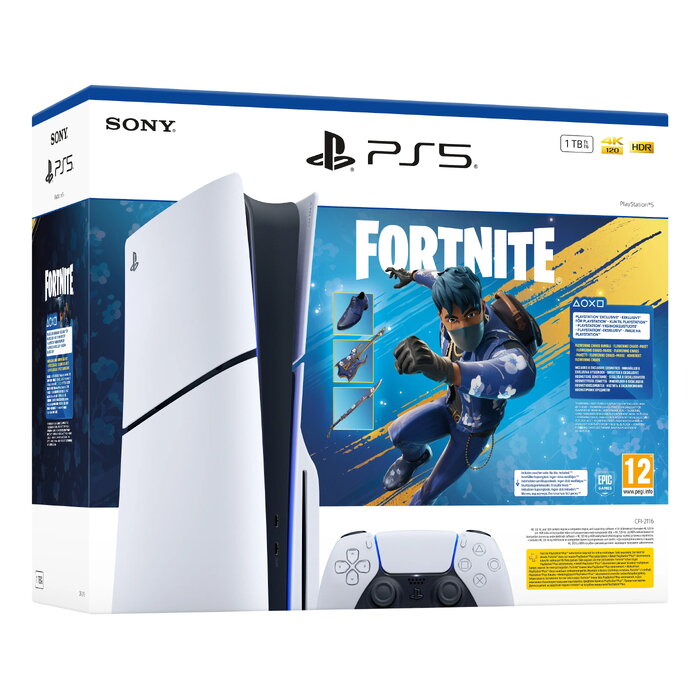
Sony PlayStation 5 Slim gaming console with 1 TB internal SSD, AMD Ryzen Zen 2 3.5 GHz (8 cores / 16 threads) processor and AMD RDNA 2 graphics. The system supports hardware-accelerated ray tracing, HDR and uses GDDR6 video memory. Connectivity includes Wi‑Fi, Bluetooth 5.1, Gigabit Ethernet, HDMI output and USB‑C. The package contains one gamepad, USB cable and a stand. Compact dimensions and fast SSD storage are designed for reduced load times and smooth gameplay.
Advantages
High-performance AMD CPU and RDNA 2 GPU with ray tracing acceleration provide realistic graphics and responsive performance. The built-in 1 TB SSD reduces loading times and improves system responsiveness. Multiple modern connectivity options (Wi‑Fi, Bluetooth 5.1, USB‑C and Gigabit Ethernet) allow flexible online play and accessory support. The slim form factor saves space while retaining core PlayStation 5 features.
Suitable for
- Playing modern AAA games at high detail settings
- Online multiplayer and streaming
- Owners who need fast load times and large internal storage
- HDR-compatible displays and games that use ray tracing
Key specifications
- Internal storage: 1 TB SSD
- Processor: AMD Ryzen Zen 2, 3.5 GHz, 8 cores / 16 threads
- Graphics: AMD RDNA 2 family with GDDR6 memory and ray tracing acceleration
- Graphics frequency: 2360 MHz
- Memory (system): 16 GB (internal memory listed as 16000 MB)
- Optical drive: present
- Network: Wi‑Fi, Bluetooth 5.1, Gigabit Ethernet (100/1000 Mbps)
- Ports: 1× HDMI, 1× USB‑C, additional USB ports
- HDR support: Yes
- Colour: White / Black
- Dimensions (W×D×H): 216 × 92 × 358 mm
- Included accessories: USB cable, stand, 1 gamepad
- Safety note: Do not open the console housing
How to use
Place the console on a stable, well-ventilated surface and assemble the included stand if required for vertical or horizontal positioning. Connect the console to a display via the HDMI port, attach power and any USB peripherals, and connect to the internet using Wi‑Fi or Ethernet for online features. Follow on-screen setup to sign in with a PlayStation account, install updates from the system menu and insert or download games to the internal SSD.
Usage recommendations
Ensure adequate ventilation around the console and avoid placing it in enclosed spaces. Use the supplied stand for correct orientation, keep system software and games updated, and do not open the console housing to avoid voiding the warranty and risking damage.
There are no reviews yet.