
Description
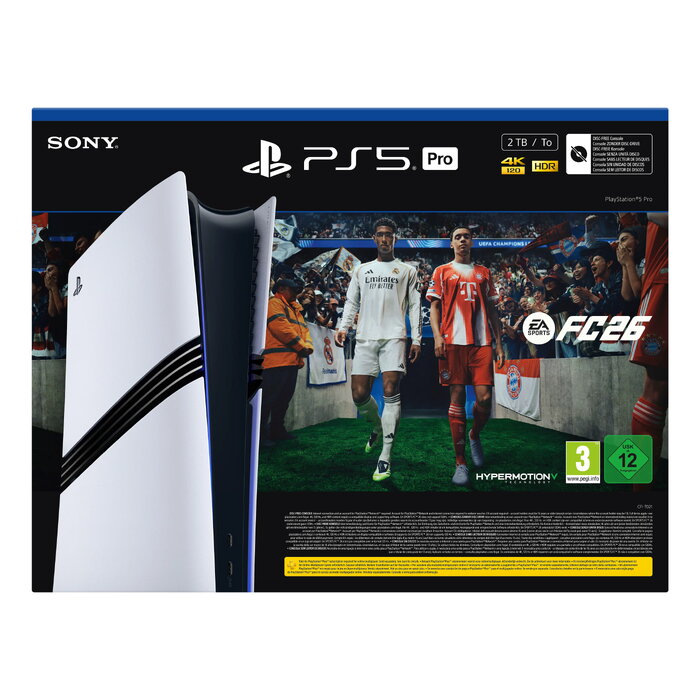
The Sony PlayStation 5 Pro bundle with EA Sports FC 26 is a high-performance home gaming console that combines upgraded hardware with substantial internal storage and modern connectivity. This edition features a 2 TB internal SSD using GDDR6 memory technology, multi-band Wi‑Fi support including compatibility with the latest standards, Ethernet LAN connectivity up to 1 Gbit/s, Bluetooth, and a two-tone black and white design. The system supports up to 8K Ultra HD output and is designed to reduce load times and manage large game libraries for extended play sessions.
Advantages
The console’s 2 TB SSD provides extensive space for digital game installations and fast data access to shorten loading screens. Multi‑band Wi‑Fi and Ethernet connectivity ensure stable online play and quick content downloads. Support for up to 8K output and modern memory technology delivers improved visual fidelity and smoother performance where supported by games and displays. The bundle includes EA Sports FC 26, allowing immediate gameplay without additional purchases. The device’s Bluetooth support enables use of compatible wireless accessories.
Suitable for
- Players seeking a high-capacity console for large digital libraries
- Users who want reduced load times and responsive gameplay
- Home setups requiring wired or advanced wireless networking for online gaming
- Gamers with 4K/8K-capable displays aiming for maximum visual detail
- Sports game enthusiasts who want EA Sports FC 26 included
Key specifications
- Internal storage capacity: 2000 GB solid-state drive
- Memory technology: GDDR6
- Wireless: multi-band Wi‑Fi with compatibility for recent standards
- Ethernet: LAN connectivity up to 1 Gbit/s
- Video output: up to 8K Ultra HD support (dependent on game and display)
- Bluetooth: wireless peripheral support
- Weight: approximately 3.1 kg
- Colors: white and black two-tone design
How to use
Unpack the console and place it on a stable, ventilated surface. Connect the power cable and use the HDMI output to link the console to a compatible display. For online features, connect via Ethernet cable for the most stable performance or configure Wi‑Fi using the system settings to join your wireless network. Install EA Sports FC 26 from the included media or redeem any provided digital code, then follow on-screen prompts to complete installation and initial setup. Use the front USB ports or Bluetooth pairing to connect controllers and compatible accessories. Regularly check system software updates in settings to ensure optimal performance and compatibility.
Usage recommendations
Place the console with adequate clearance around vents to maintain airflow, use a wired Ethernet connection for competitive online play where possible, and back up saved data to cloud storage or external drives to protect progress. Keep system firmware and game software updated and use the included game to verify console functionality after setup.
There are no reviews yet.