
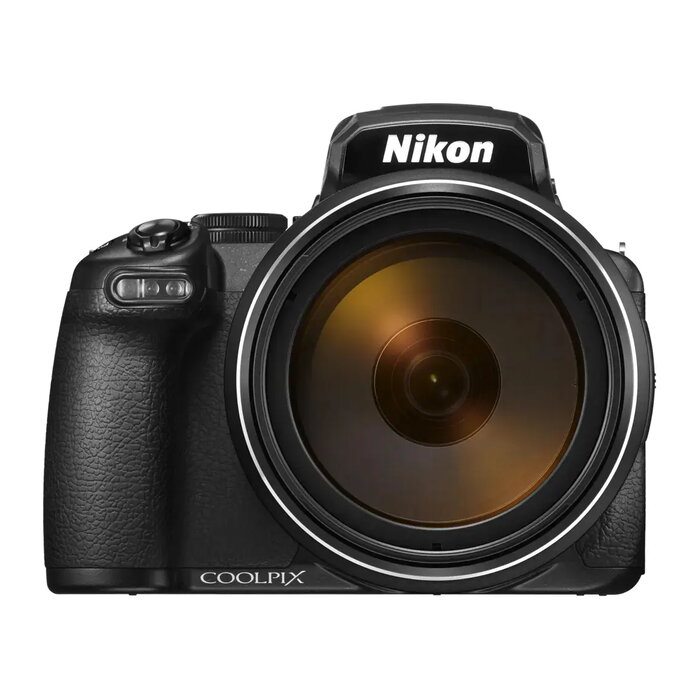
Description
The Nikon COOLPIX P1100 is a compact camera that pairs a 16 MP CMOS sensor with 4K Ultra HD video recording to support detailed stills and high-resolution footage. The camera delivers a maximum image resolution of 4608 x 2592 pixels and covers a broad focal length range from wide-angle to extreme telephoto, allowing flexibility for both close-up and distant subjects. Its compact body and electronic viewfinder make framing and reviewing images convenient in varied shooting conditions.
Advantages
The camera combines a 16 MP CMOS sensor with a 1/2.3-inch image sensor size to balance image detail and compactness. 4K Ultra HD capability enables high-resolution video capture and frame extraction for stills. A long focal length range provides extensive reach without changing lenses, and a fast shutter speed of up to 1/4000 s supports freezing fast motion. Built-in Wi‑Fi allows image transfer and remote control from compatible devices. The black finish offers a discreet, professional appearance suitable for travel and everyday use.
Suitable for
- Travel and street photography where portability is important
- Wildlife and sports photography that require long focal reach
- Videography and content creation in 4K Ultra HD
- Everyday family and event photography
Key specifications
- Sensor type: CMOS
- Effective resolution: 16 MP (approx.)
- Maximum image resolution: 4608 x 2592 pixels
- Image sensor size: 1/2.3 inch
- Focal length range: 4.3 – 539 mm (equivalent)
- Digital zoom: 4x
- Video recording: 4K Ultra HD
- Maximum shutter speed: 1/4000 s
- Viewfinder: Electronic viewfinder
- Connectivity: Wi‑Fi
- Color: Black
How to use
Power on the camera and select the desired shooting mode on the mode dial. Use the electronic viewfinder or rear display to compose your image; adjust zoom to frame distant subjects using the focal length range. For fast-moving subjects, choose a faster shutter speed (up to 1/4000 s) or an appropriate autofocus mode. For video, set the camera to 4K mode and verify exposure settings before recording. Transfer images and control the camera remotely by enabling Wi‑Fi and connecting a compatible mobile device with Nikon’s app.
Usage recommendations
For best results in low light, stabilize the camera with a tripod or increase ISO carefully to avoid excessive noise. When using the long focal range, enable image stabilization if available and use a steady support to reduce blur. Regularly update firmware and use the manufacturer’s app for streamlined image transfer and remote shooting.

There are no reviews yet.