
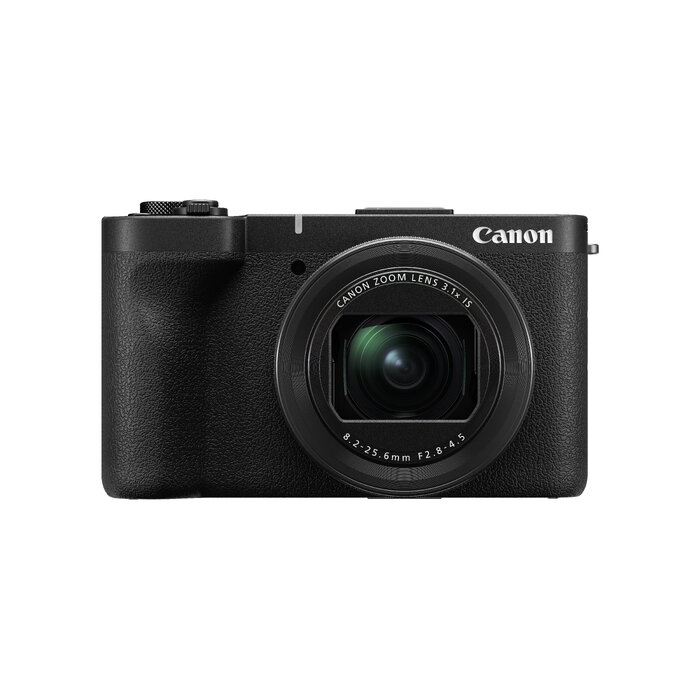
Description
The Canon PowerShot V1 is a compact, video-first camera designed for creators who record on the move. It features a 22.3 MP 1.4-inch CMOS sensor, an ultra-wide built-in f/2.8 lens, touchscreen control and 4K Ultra HD recording. With lightweight construction and integrated audio options, the PowerShot V1 provides a portable solution for capturing high-resolution video and images for social media and vlogging.
Advantages
PowerShot V1 combines a relatively large 1.4-inch sensor and 4K 60p recording capability with active cooling for extended capture. It offers Canon Log 3 for increased dynamic range and flexible post-production, fast and reliable autofocus with subject recognition for people and animals, and effective image stabilisation for smoother handheld video. Built-in microphone with noise reduction plus external mic and headphone support provide clear audio monitoring and recording.
Suitable for
- Vlogging and social media video creators
- Travel and on-the-move content capture
- Short films and cinematic projects needing log capture
- Live streaming and plug-and-play broadcasts
- Low-light shooting requiring a larger sensor
Key specifications
- Sensor: 22.3 MP CMOS (1.4-inch equivalent)
- Maximum image resolution: 5760 x 3840 pixels
- Video: 4K Ultra HD (up to 4K 60p); Full HD up to 120p for slow motion
- Lens: built-in ultra-wide f/2.8, optical zoom 3.1x
- ISO sensitivity: 100–3200 (specified)
- Shutter speed: up to 1/2000 s
- Stabilisation: advanced image stabiliser for handheld shooting
- Connectivity: Wi‑Fi, Bluetooth, HDMI, USB
- Audio: built-in microphone and speaker; external mic input and headphone monitoring
- Power: Lithium‑Ion battery
- Weight: approx. 0.426 kg (374 g listed body weight in marketing text)
How to use
Turn the camera on and use the touchscreen to select video or photo mode. For standard high-resolution clips select 4K recording; choose 4K 60p for smoother motion or Full HD 120p for slow-motion. Enable Canon Log 3 when you need greater dynamic range for post-production grading. Use the vari-angle screen for framing selfies or vlogs and connect an external microphone if improved audio quality is required. Transfer files via Wi‑Fi or USB, and use the live-streaming plug-and-play function to broadcast directly from the camera.
Usage recommendations
For best results, stabilise handheld shots with the camera’s image stabilisation enabled, choose Canon Log 3 when grading footage, and use an external microphone with headphone monitoring for critical audio capture. Keep an eye on battery level during extended 4K recording and use active cooling features when available to avoid overheating.
There are no reviews yet.