
Description
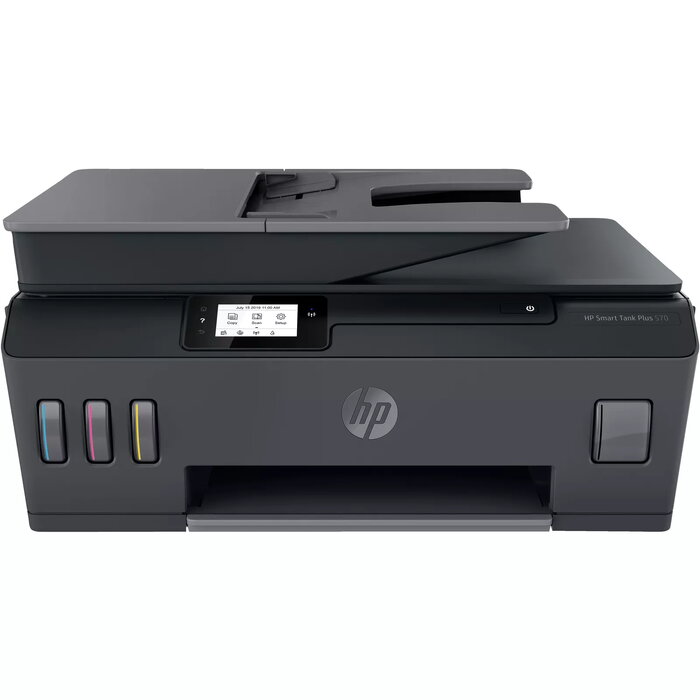
The HP Smart Tank Plus 570 is an all-in-one wireless colour printer that combines thermal inkjet printing, copying and scanning in a compact A4 device. It delivers colour printing with a maximum resolution of 4800 x 1200 dpi and optical scanning up to 1200 x 1200 dpi. The unit supports A4 paper, offers a stated print speed of up to 5 pages per minute for colour jobs in normal mode, and is rated for a maximum monthly duty cycle of 1000 pages. The physical design in black and grey and a weight around 6.19 kg make it suitable for desktop placement in home offices and small businesses.
Advantages
The integrated ink tank design reduces the need for frequent cartridge replacements and enables extended periods of continuous printing. Wireless connectivity allows printing and scanning from mobile devices and computers without a direct cable connection. Thermal inkjet technology provides high maximum print resolution for sharp text and detailed colour images, while colour scanning and copying functions add versatility for document handling.
Suitable for
- Home office printing, scanning and copying
- Small business document workflows with moderate monthly volumes
- Photo and colour document printing at A4 size
- Mobile printing from smartphones and tablets via Wi‑Fi
Key specifications
- Print technology: Thermal inkjet
- Printing: Colour printing with maximum resolution 4800 x 1200 dpi
- Print speed (black, normal quality, A4/US Letter): 11 ppm
- Copying: Colour copying with maximum copy resolution 600 x 600 dpi
- Scanning: Colour scanning with optical resolution 1200 x 1200 dpi
- Maximum supported paper size: A4
- Wireless connectivity: Wi‑Fi
- Maximum monthly duty cycle: 1000 pages
- Product colours: Black and grey
- Weight: Approximately 6.19 kg
How to use
Unpack the printer and place it on a stable surface. Fill the integrated ink tanks following the manufacturer’s instructions and power on the device. Connect the printer to the local Wi‑Fi network using the control panel or HP mobile app to enable wireless printing and scanning. Install required drivers or the HP software on desktop computers for full functionality, or use the HP Smart app on mobile devices for setup, scanning, and remote print job management. Load A4 paper into the input tray, select print or copy settings on the device or from the app, and start the job. For scanning, place documents on the flatbed or use the automatic feeder if available, then initiate scans via the app or software to save files to a computer or cloud location.
Usage recommendations
For consistent print quality and reliable operation, use manufacturer-recommended ink and perform regular printhead maintenance routines through the HP software. Keep the device in a dust-free environment and avoid exposing it to direct sunlight or extreme temperatures. For moderate monthly workloads, monitor ink levels and duty cycle to plan replenishment and prevent interruptions in printing, scanning and copying tasks.
There are no reviews yet.