
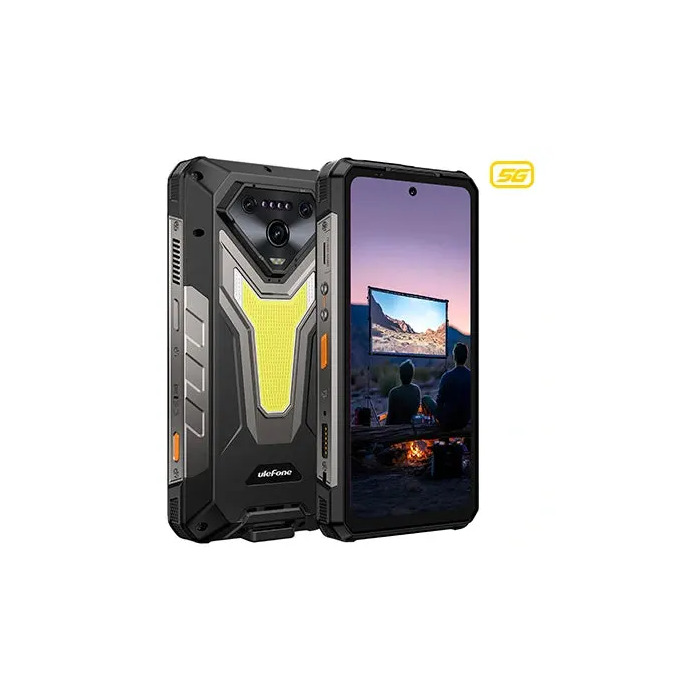
Description
The UleFone Armor 34 Pro is a rugged 5G smartphone with a 6.95″ 1080 x 2460 flat display, MediaTek Dimensity series CPU and Android 15. It includes 16 GB LPDDR5 RAM, 512 GB internal storage expandable via MicroSD, dual SIM support (NanoSIM + NanoUSIM) and a triple rear camera system with a 50 MP main sensor plus a 32 MP front camera. The device is rated IP68 and IP69K for dust and water protection, weighs approximately 0.825 kg and is powered by a high-capacity 25500 mAh battery with 66 W USB-C charging; an AC adapter is included.
Advantages
Designed for demanding environments, this rugged smartphone combines large battery life and advanced connectivity (5G, Wi‑Fi 6E, Bluetooth) with a durable IP68/IP69K-rated chassis. High RAM and ample internal storage ensure smooth multitasking and space for apps and media. Fast wired charging and dual SIM capability add practical convenience for long field use.
Suitable for
- Field work and outdoor activities where durability is required
- Professionals who need long battery life and reliable network connectivity
- Users who store large amounts of data or run memory-intensive apps
Key specifications
- Display: 6.95″ flat, 1080 x 2460 pixels
- Processor: MediaTek Dimensity series (CPU 7300 class)
- Memory: 16 GB LPDDR5 RAM
- Storage: 512 GB internal, expandable via MicroSD
- Cameras: Rear main 50 MP, front 32 MP
- Battery: 25500 mAh with 66 W USB-C wired charging; AC adapter included
- Network: 5G, Dual SIM (NanoSIM + NanoUSIM)
- Wireless: Wi‑Fi 6E (802.11ax), Bluetooth
- Operating system: Android 15
- Protection rating: IP68, IP69K
- Weight: approx. 0.825 kg
- Colour: Black
How to use
Switch on the device by pressing the power button and follow the on-screen Android 15 setup steps to configure language, accounts and network settings. Insert NanoSIM cards and an optional MicroSD card into the dedicated slots when the phone is powered off, ensuring any protective flaps are closed to maintain IP protection. Charge the phone using the supplied AC adapter and USB‑C cable; the 66 W charging reduces refill time for the large battery. Use standard Android settings to manage apps, storage and connectivity (Wi‑Fi 6E, Bluetooth). For camera use, open the default camera app and select desired modes for photos and video.
Usage recommendations
To preserve waterproofing and ruggedness, ensure all port covers are properly closed before exposure to water or dust. Use a compatible high-capacity MicroSD card for extended storage and keep the device firmware updated to maintain connectivity and security.
There are no reviews yet.