
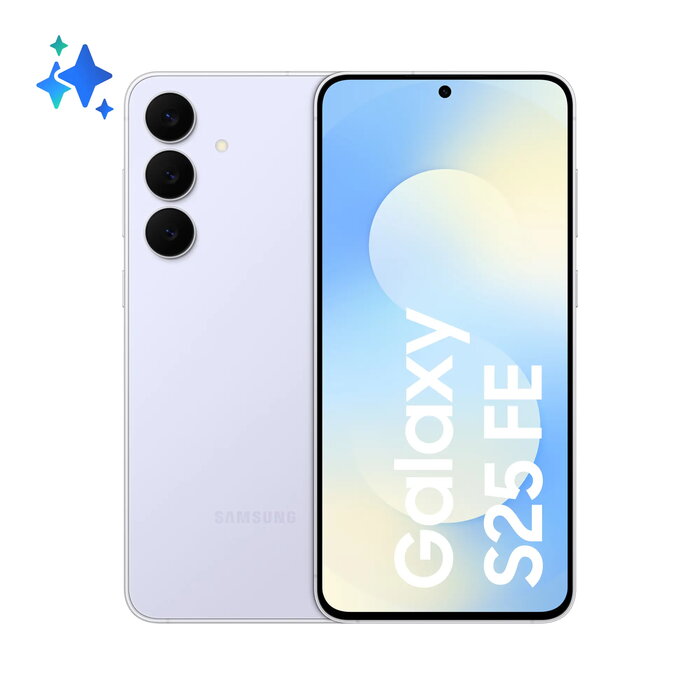
Description
The Samsung Galaxy S25 FE 6.7″ Blue combines a large, high-quality display with substantial memory and storage to support everyday multitasking and media consumption. Equipped with 8 GB of RAM and 256 GB of internal storage, the device accommodates applications, photos and video files while maintaining smooth performance. The rear camera system centers on a 50 MP sensor and is complemented by additional optics and a 12 MP front camera for video calls and selfies. A 4900 mAh battery provides extended runtime for daily use and moderate multimedia activity. The phone meets IP68 dust and water resistance and is finished in a blue colour option.
Advantages
The Galaxy S25 FE offers a large 6.7″ display that improves readability and media playback, paired with 8 GB RAM to support responsive multitasking. The 50 MP rear camera delivers high-resolution images suitable for social media and casual photography, while the 12 MP front camera supports clear video calls. The 4900 mAh battery is designed for prolonged use and rated for up to 2000 charge cycles, and the device’s IP68 rating provides protection against dust and water exposure. Energy efficiency class B balances performance with power consumption.
Suitable for
- Everyday multitasking and app usage
- Mobile photography and social media content
- Streaming video and multimedia consumption
- Long workdays or travel where extended battery life is needed
- Use in outdoor or damp environments thanks to IP68 protection
Key specifications
- Display diagonal: 6.7″
- RAM: 8 GB
- Internal storage: 256 GB
- Rear camera: 50 MP (primary) plus supporting lenses
- Front camera: 12 MP
- Battery capacity: 4900 mAh, rated for approximately 2000 cycles
- Ingress protection: IP68
- Energy efficiency class: B
- Repairability class: C; repeated free fall reliability class: A
- Colour: Blue
How to use
Power on the device using the side button and complete the initial setup by following the on-screen prompts to sign in to your Samsung or Google account, set language preferences, and configure biometric or PIN security. Transfer contacts, photos and apps from a previous device using the built-in data migration tool or cloud backup. Use the camera application for photography and video recording; switch between rear and front cameras within the camera interface. Charge the battery with a compatible charger and monitor battery settings to optimise power usage.
Usage recommendations
For consistent performance and battery longevity, install official software updates when available, avoid using uncertified chargers, and enable power-saving modes when extended runtime is required. Use a protective case and compatible screen protector to reduce repair needs, and rinse the device with fresh water and dry thoroughly if exposed to salt water or heavy contaminants despite its IP68 rating.
There are no reviews yet.