
Description
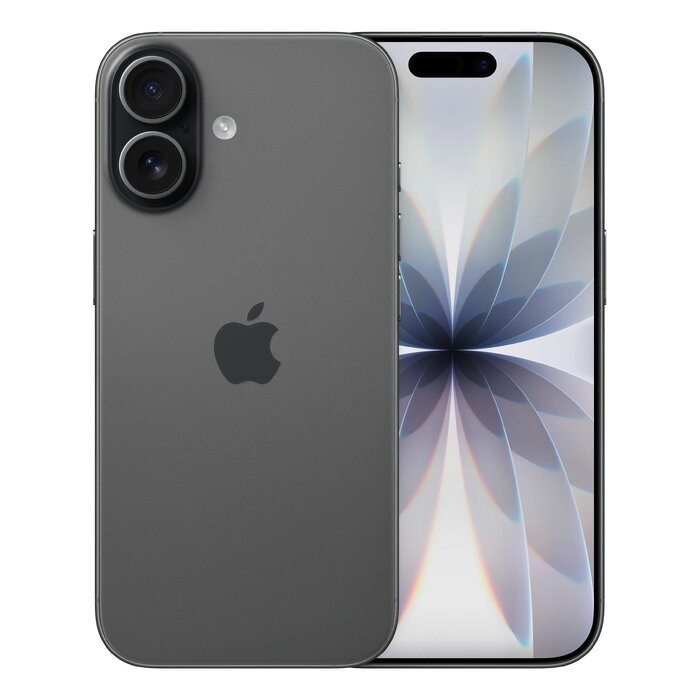
The Apple iPhone 17 in black features a 6.3″ (16 cm) Ceramic Shield 2 display with 2622 x 1206 resolution and ProMotion up to 120 Hz. Powered by the A19 chip and running iOS 26, it offers 256 GB of internal storage, 5G Dual SIM (NanoSIM + eSIM) connectivity, and a dual 48 MP camera system for high-quality photos. The device supports Wi‑Fi 7, Bluetooth 6.0, NFC, wireless charging and carries IP68 protection.
Advantages
The iPhone 17 combines a brighter, smoother ProMotion display and improved scratch resistance with a powerful A19 processor that delivers all‑day performance. The 48 MP Dual Fusion camera and an upgraded front camera with Center Stage provide flexible framing and enhanced image quality. Software features in iOS 26 and integrated Apple Intelligence add image creation, Live Translation and other productivity tools.
Suitable for
- Everyday smartphone use with emphasis on performance and battery life
- Photography and video capture with dual 48 MP camera system
- Multitasking and content consumption on a 6.3″ high‑refresh display
- Users needing Dual SIM (NanoSIM + eSIM) and 5G connectivity
Key specifications
- Display: 6.3″ (16 cm) Ceramic Shield 2, 2622 x 1206 px, ProMotion up to 120 Hz
- Processor: Apple A19
- Internal storage: 256 GB
- Rear cameras: Dual 48 MP
- Front camera: 18 MP with Center Stage
- Connectivity: 5G, Dual SIM (NanoSIM + eSIM), Wi‑Fi 7 (802.11be), Bluetooth 6.0, NFC
- Operating system: iOS 26
- Battery and charging: Lithium‑Ion, wireless charging supported
- Protection: IP68
- Weight: 0.177 kg
How to use
Power on the iPhone 17 using the side button and follow the on‑screen setup to sign in with your Apple ID, restore or transfer data, and configure Dual SIM settings for NanoSIM and eSIM. Use the Camera app for photos and video; switch between lenses or enable Pro modes as needed. Enable Wi‑Fi 7 or mobile data for connectivity, pair accessories via Bluetooth, and manage battery settings in iOS 26 to optimize performance and longevity.
Usage recommendations
For best results, keep iOS up to date, use an Apple‑certified charger for wireless charging, and apply a compatible protective case to preserve the Ceramic Shield 2 surface. Use iCloud or another backup solution to protect data and follow official Apple guidance for battery care to maintain capacity over time.
There are no reviews yet.