
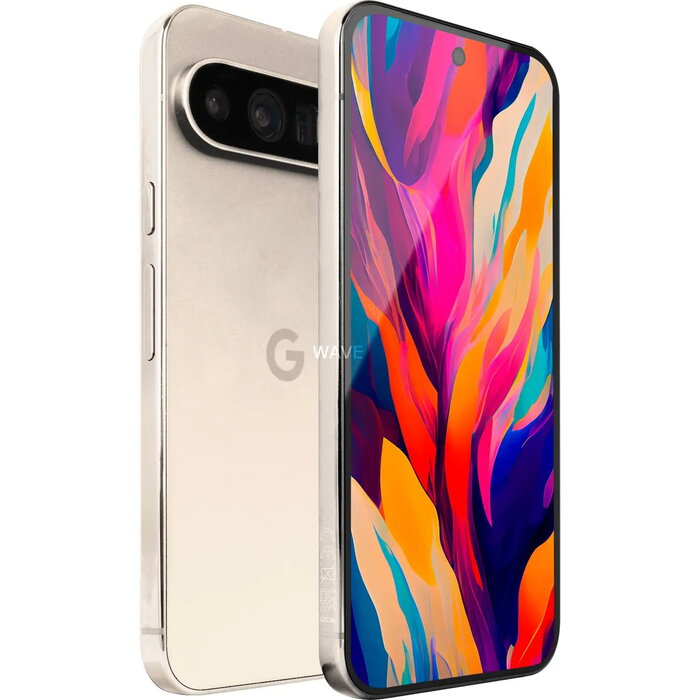
Description
The Google Pixel 9 Pro XL is a high-end smartphone with a 6.8″ Super Actua display (1344 x 2992) and the Google Tensor G4 processor. It combines 16 GB RAM and 256 GB internal storage, dual SIM support and Android 14. The device features a triple rear camera system led by a 50 MP main sensor, a 48 MP telephoto and a 48 MP ultrawide, plus a 42 MP front camera. With a 5060 mAh battery, IP68 protection and a polished metal frame with a matt glass back, the Pixel 9 Pro XL is designed for advanced photography, extended battery life and strong AI capabilities powered by Gemini.
Advantages
The Pixel 9 Pro XL delivers pro-level imaging with a 50 MP main camera and dedicated telephoto and ultrawide lenses, advanced video options including 8K capture and Night Sight Video, and AI photo tools such as Magic Editor, Photo Unblur and Zoom Enhance. Performance is supported by the Google Tensor G4 chipset and 16 GB RAM for smooth multitasking and AI processing. The display offers high brightness and up to 120 Hz refresh for fluid interaction, while a 5060 mAh battery provides all-day use with fast charging and an Extreme Battery Saver mode for extended endurance. The phone also includes IP68 water and dust resistance and seven years of OS and security updates.
Suitable for
- Mobile photography and video creation
- Power users and multitasking with large apps
- Users who need long battery life and fast charging
- People who want integrated AI tools for editing, search and productivity
- Dual SIM travellers and professionals
Key specifications
- Display: 6.8″ Super Actua, 1344 x 2992, up to 120 Hz
- Processor: Google Tensor G4
- RAM / Storage: 16 GB / 256 GB
- Cameras: Rear triple (50 MP main, 48 MP telephoto, 48 MP ultrawide); Front 42 MP
- Video: up to 8K with Video Boost, Super Res Zoom Video up to 20x
- Battery: 5060 mAh, fast charging, up to 100 hours with Extreme Battery Saver
- Operating system: Android 14
- Connectivity: 5G, Dual SIM
- Protection: IP68
- Weight: 221 g
- Colour: White
How to use
Power on the device with the side button and follow the on-screen setup to sign in with your Google account, configure dual SIMs and restore data if needed. Use the Camera app for standard and pro controls—tap to focus, switch lenses for telephoto or ultrawide shots, and open advanced settings for manual shutter speed and focus. For AI-assisted tasks, open Gemini from the home screen to analyze images, summarise content or generate suggestions. Charge the phone with a compatible USB-C fast charger and enable Extreme Battery Saver in Settings when you need to extend runtime.
Usage recommendations
For best photo results, use the 50 MP main camera in low-light or detailed scenes, switch to the 48 MP telephoto for distant subjects and the ultrawide for close Macro Focus or wide landscapes; enable Night Sight Video for low-light clips and use Magic Editor or Zoom Enhance for post-capture improvements.
There are no reviews yet.