
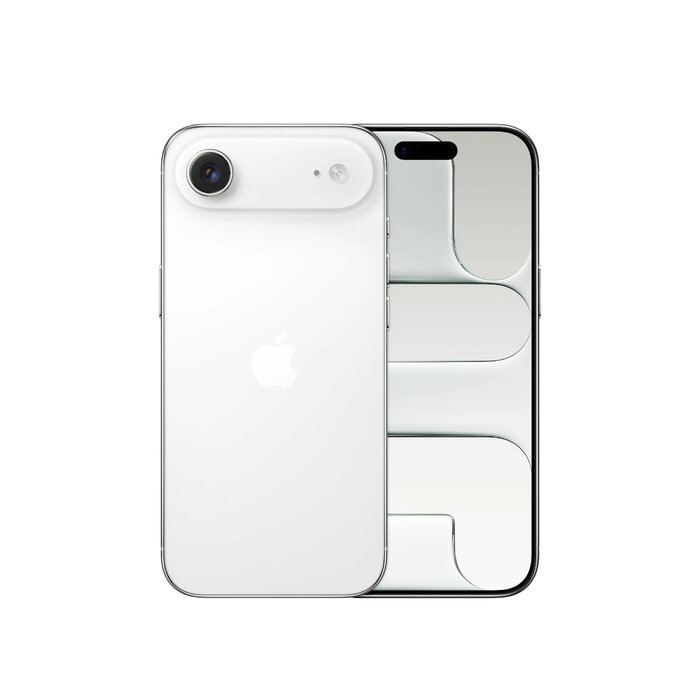
Description
The Apple iPhone Air is a slim 6.5″ smartphone combining a high-resolution 2736 x 1260 Ceramic Shield 2 display with the A19 Pro chip and up to 1 TB internal storage. It runs iOS 26, supports 5G Dual SIM (eSIM) and Wi‑Fi 7, and features a 48 MP main camera alongside advanced front camera capabilities. Weighing about 165 g and rated IP68, the device is designed for everyday mobile use where a compact, powerful phone is required.
Advantages
The iPhone Air pairs a very thin and lightweight metal-and-glass design with a powerful A19 Pro processor for smooth performance and long battery life. The 48 MP Fusion main camera delivers high-resolution photos by default, while the new Center Stage front camera improves framing for selfies and group shots. Connectivity options include 5G, Wi‑Fi 7 and Bluetooth 6.0. The phone also includes Apple Intelligence features and runs iOS 26 for the latest software improvements.
Suitable for
- Everyday mobile use and travel
- High-resolution photography and social media content creation
- Multitasking and demanding apps thanks to the A19 Pro
- Users who need large local storage (up to 1 TB)
Key specifications
- Display: 16.5 cm (6.5″), 2736 x 1260 pixels, Ceramic Shield 2
- Processor: Apple A19 Pro
- Internal storage: 1 TB
- Rear camera: 48 MP single camera (Fusion)
- Front camera: 18 MP with Center Stage
- Operating system: iOS 26
- Connectivity: 5G Dual SIM (eSIM), Wi‑Fi 7 (802.11be), Bluetooth 6.0, NFC
- Battery: Lithium‑Ion, wireless charging supported
- Protection: IP68
- Weight: 165 g
How to use
Power on the iPhone Air and follow the on-screen setup assistant to sign in with your Apple ID, configure Dual SIM/eSIM settings and restore data from a backup if required. Use the Camera app to shoot with the 48 MP Fusion main camera or the Center Stage front camera; adjust resolution and modes within the app. Connect to Wi‑Fi and mobile networks via Settings, and manage storage in Settings > General > iPhone Storage. Charge the device using a compatible wireless charger or a USB‑C power adapter as recommended by Apple.
Usage recommendations
To preserve battery health, avoid exposing the device to extreme temperatures and use original or certified chargers. For best photo quality, enable the highest resolution settings in Camera and keep the Ceramic Shield screen clean and free of abrasions. Regularly update to the latest iOS 26 releases to receive security and performance improvements.
There are no reviews yet.