
Description
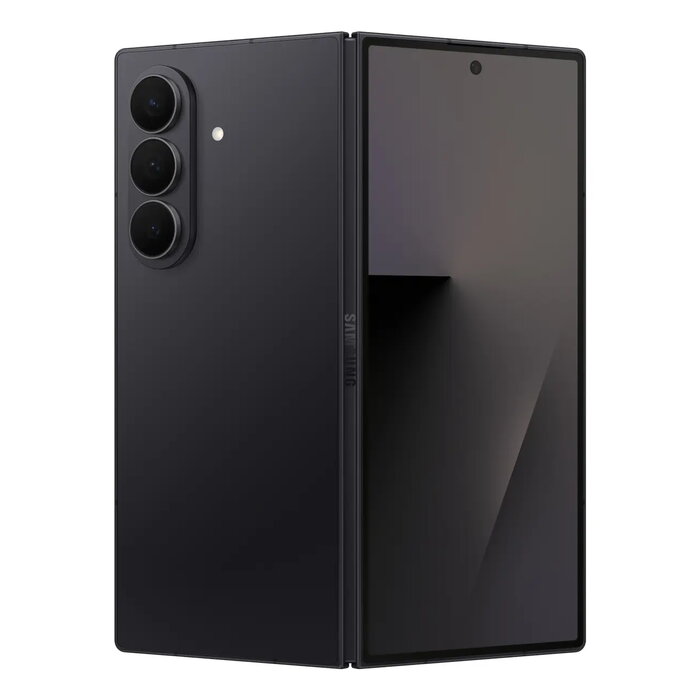
The Samsung Galaxy Fold7 is an 8″ foldable smartphone designed for multitasking and high-resolution imaging. It features an expansive 8-inch Infinity Flex main display (2184 x 1968 px) and a newly enlarged 21:9 cover screen for easier one-handed use. The device includes 12 GB RAM and 512 GB internal storage, a triple rear camera system led by a 200 MP sensor, dual SIM support and a 4400 mAh battery, all in a lightweight black chassis.
Advantages
The Galaxy Fold7 combines a large immersive main display with a compact folded form factor, offering improved portability without sacrificing screen size. Its 200 MP camera with ProVisual Engine provides high-resolution photos and enhanced colour and detail reproduction, while low-light video capture benefits from noise reduction and richer contrast. A next-generation Snapdragon mobile processor and mDNIe display engine deliver strong performance and efficient power use. Security features such as device-based encryption and Knox Vault protect personal data.
Suitable for
- Multitasking and productivity on a large foldable screen
- High-resolution mobile photography and video
- Business users needing dual SIM and ample storage
- Entertainment: gaming and media playback with adaptive brightness
Key specifications
- Display: 20.3 cm (8″) Infinity Flex, 2184 x 1968 pixels
- Cover screen: expanded 21:9 aspect ratio
- Memory: 12 GB RAM
- Storage: 512 GB internal
- Rear cameras: Triple — 200 MP, 12 MP, 10 MP
- Front camera: 10 MP
- Battery: 4400 mAh
- Connectivity: 5G, Dual SIM, Wi‑Fi 4/5/6/6E/7, Bluetooth 5.4, NFC
- Dimensions & weight: lightweight foldable design, approx. 215 g
- Other: IP48 rating; Energy class B
How to use
Open the device to use the main 8″ screen for multitasking, editing photos side‑by‑side in Photo Assist, or viewing tailored content on the immersive display. Use the cover screen for quick tasks and one‑handed operation. Capture photos with the 200 MP rear sensor and review or edit them directly on the large display. Manage apps, storage and Dual SIM settings in the system settings menu. Charge the device using the supplied compatible charger and follow standard battery care practices.
Usage recommendations
For best results, enable Vision Booster so the display adapts to ambient light, and use the ProVisual Engine presets when shooting to optimise colour and detail. Keep system software up to date and use Knox Vault for sensitive data. To preserve battery health, avoid exposing the device to extreme temperatures and use recommended charging routines.
There are no reviews yet.