
Description
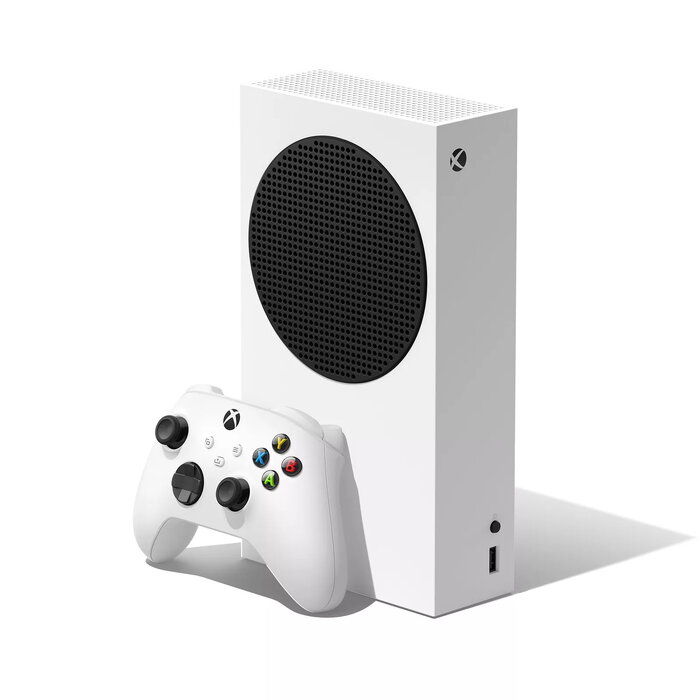
The Microsoft Xbox Series S is a compact white game console designed for next-gen gaming with a 1.02 TB SSD and support for 4K Ultra HD content. It combines the Xbox Velocity Architecture for faster load times and responsive gameplay with backward compatibility across four generations of Xbox titles. The console supports fast Ethernet and Wi‑Fi connectivity and delivers immersive audio with DTS 5.1 and Dolby Digital 5.1 decoding.
Advantages
Xbox Velocity Architecture with a custom SSD and integrated software reduces load times and improves streaming of game assets. Backward compatibility expands access to thousands of games from previous Xbox generations, and Smart Delivery ensures you get the optimal version of supported titles. Xbox Game Pass provides access to a large rotating library of games including day-one releases from Xbox Game Studios.
Suitable for
- Casual and dedicated gamers seeking next-gen performance in a compact console
- Players who want access to a large catalogue via Xbox Game Pass
- Users who play older Xbox titles thanks to backward compatibility
- Setups where space is limited and a compact, white console is preferred
Key specifications
- Platform: Xbox Series S
- Internal storage capacity: 1024 GB (1.02 TB SSD)
- Connectivity: Ethernet LAN and Wi‑Fi (Wi‑Fi 5 supported)
- Audio decoding: DTS 5.1, Dolby Digital 5.1
- Dimensions (W × D × H): 151 mm × 65 mm × 275 mm
- Weight: 2 kg
- Colour: White
How to use
Connect the Xbox Series S to your TV or monitor using an HDMI cable, plug in a power source and connect to the internet via Ethernet or Wi‑Fi. Sign in with your Microsoft account to access digital purchases, enable Xbox Game Pass if subscribed, and download or stream games. Use an Xbox wireless controller to navigate the dashboard, launch games optimised for Xbox Series X | S, and manage storage on the internal SSD as needed.
Usage recommendations
For best performance, keep the console in a well-ventilated location, maintain an up-to-date system software version, and use a wired Ethernet connection where possible for lower latency during online play. Consider external storage for extended game libraries while noting that installed optimised titles perform best on the internal SSD.
There are no reviews yet.