
Description
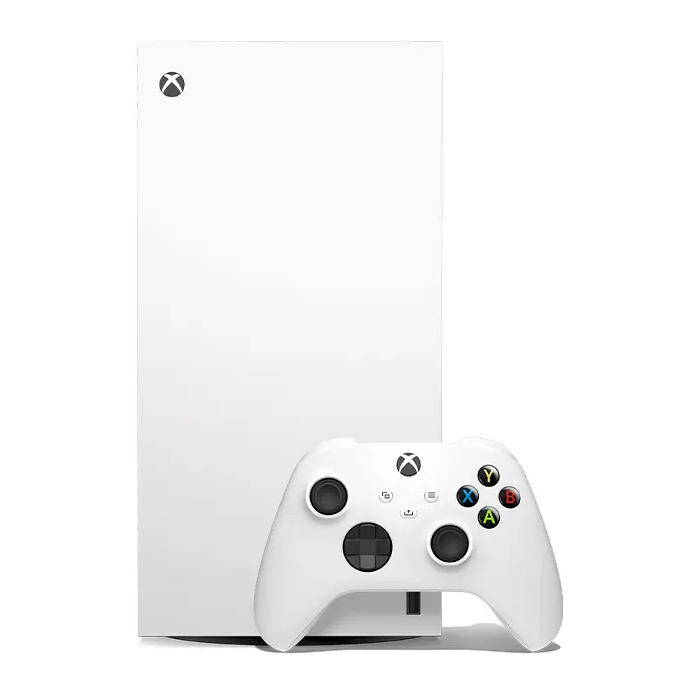
Microsoft Xbox Series X – 1TB Digital Edition (White) is a next-generation gaming console delivering true 4K gaming, up to 120 FPS framerates, and a custom SSD for faster load times. The console supports advanced visual and audio technologies including hardware-accelerated ray tracing, Dolby Vision and Dolby Atmos, and is backward compatible with thousands of Xbox One, Xbox 360 and Original Xbox titles. The package includes the Xbox Wireless Controller with improved ergonomics and a dedicated Share button. Network connectivity options include Gigabit Ethernet and multiple Wi‑Fi standards. Internal storage capacity is 1 TB on an SSD.
Advantages
The Xbox Series X combines high-performance hardware and optimized software to reduce loading times and enable Quick Resume for instant switching between titles. It offers steady high framerates up to 120 FPS, true-to-life 4K visuals with ray tracing, and immersive 3D spatial sound with Dolby Vision and Dolby Atmos support. Smart Delivery ensures you have the best available version of supported games for your console. Backward compatibility improves older games with better resolution, frame rates, and input latency.
Suitable for
- Hardcore and casual gamers seeking 4K performance and high framerates
- Players who want fast load times and the Quick Resume feature
- Users who play multiplayer or stream over Gigabit Ethernet or modern Wi‑Fi
- Owners with large digital game libraries who need 1 TB internal SSD storage
Key specifications
- Platform: Xbox Series X
- Internal storage capacity: 1 TB SSD
- Supported video modes: up to 2160p (4K)
- Maximum framerate: up to 120 FPS
- Network: Gigabit Ethernet (10/100/1000 Mbit/s); Wi‑Fi 802.11a/b/g/n/ac
- Audio: DTS 5.1, Dolby Digital 5.1, Dolby TrueHD; Dolby Atmos compatible
- Weight: 4.4 kg
- Product colour: White
How to use
Connect the console to a compatible 4K TV using an HDMI cable, plug in power, and follow the on-screen setup to sign in with your Microsoft account and configure network settings. Install games digitally from the store or load compatible backward-compatible titles. Use the Xbox Wireless Controller to navigate menus and play; the Share button lets you capture and share clips and screenshots. Manage storage and install or uninstall titles through the system settings.
Usage recommendations
For optimal performance, connect via Gigabit Ethernet or a strong Wi‑Fi 5 (802.11ac) network, enable game mode on your TV, and keep system software and game updates current. Consider external storage solutions for large libraries but note that internal SSD provides the fastest load times and Quick Resume functionality.
There are no reviews yet.