
Description
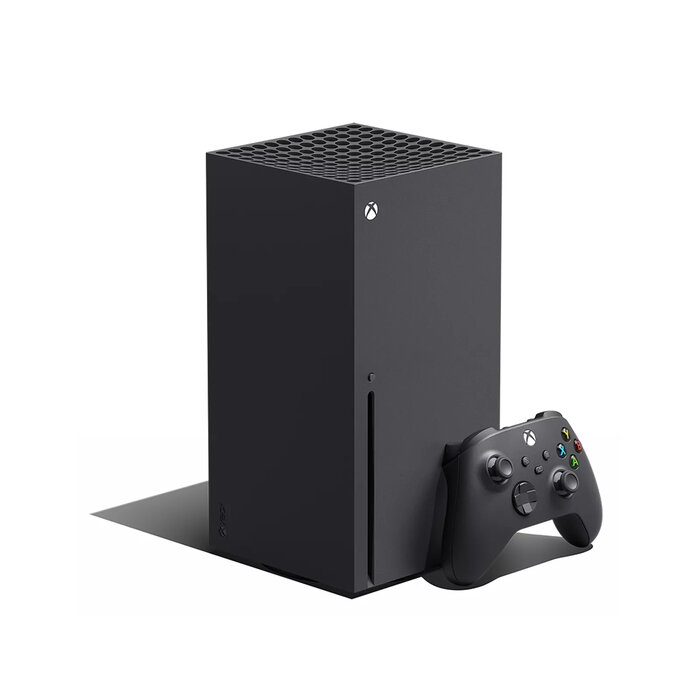
The Microsoft Xbox Series X 1 TB in black is a home gaming console designed for the Xbox Series X platform. It features a 1 TB internal SSD for game and app storage, a Blu‑Ray optical drive for physical discs, and support for high‑resolution output up to 8K Ultra HD where supported by content and display. The system includes wired Ethernet and multi‑band Wi‑Fi connectivity, integrated audio decoders for surround sound, and a compact tower form factor suitable for living‑room setups.
Advantages
The console’s internal SSD provides fast load times and smoother streaming of assets, while the 1 TB capacity allows installation of multiple modern titles and apps. Built‑in Blu‑Ray playback supports physical media and movies. Network connectivity includes Gigabit Ethernet and support for common Wi‑Fi standards, enabling stable online gameplay and digital downloads. Support for advanced audio formats such as Dolby Digital and DTS delivers compatible surround sound playback. The black tower design is intended to fit into standard entertainment centers.
Suitable for
- Playing modern Xbox Series X optimized games and backwards compatible titles
- Streaming and downloading games and multimedia over Ethernet or Wi‑Fi
- Watching Blu‑Ray movies and other physical media
- Connecting to 4K/8K TVs and home theater systems with surround sound
Key specifications
- Platform: Xbox Series X
- Internal storage: 1 TB SSD
- Storage media: Solid state drive; optical drive: Blu‑Ray
- Network: Gigabit Ethernet; Wi‑Fi standards: 802.11a/b/g/n/ac (Wi‑Fi 4/5)
- Audio: Dolby Digital 5.1, Dolby TrueHD, DTS 5.1
- Video output capability: up to 8K Ultra HD (dependent on display and content)
- Dimensions (W×D×H): 151 × 151 × 301 mm
- Weight: 4.5 kg
- Color: Black
How to use
Unpack the console and follow the included setup guide to place the unit vertically in a well‑ventilated area. Connect the Xbox Series X to your display using a compatible HDMI cable (not included) and to your network via Ethernet or Wi‑Fi. Insert a Blu‑Ray disc if you intend to play physical media, or sign in with an Xbox account to download digital games. Use the supplied power cable and any included controllers; complete system updates when prompted to ensure the latest firmware and features are installed.
Usage recommendations
Place the console on a stable surface with adequate airflow around the vents, avoid enclosing the unit in tight cabinets during long play sessions, and ensure the system firmware and games are kept up to date for optimal performance and compatibility.
There are no reviews yet.