
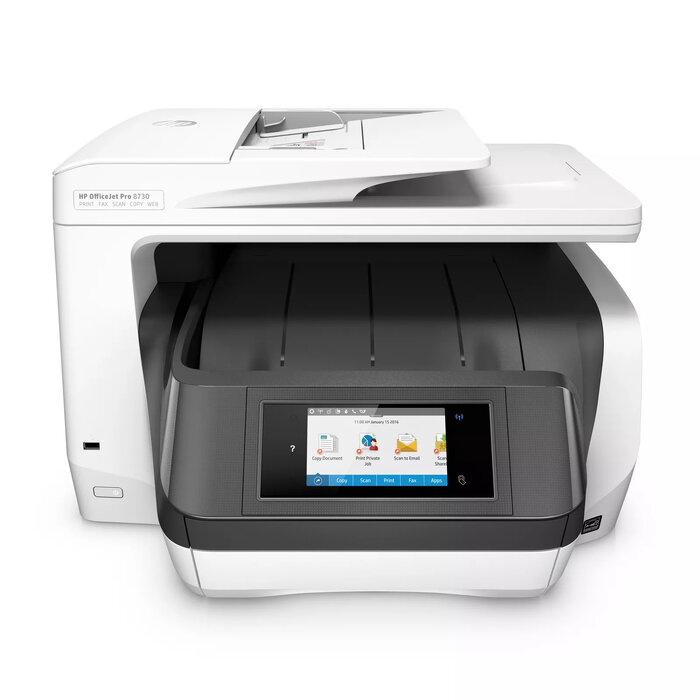
Description
The HP OfficeJet Pro 8730 is an all-in-one thermal inkjet colour multifunction printer designed for high-volume office use. It delivers professional-quality colour printing with a maximum resolution of 2400 x 1200 dpi, supports automatic duplex printing, scanning and faxing, and offers wired and wireless connectivity including Ethernet and Wi‑Fi. The device supports A4 paper, has a monthly duty cycle up to 30,000 pages and comes in a compact grey design intended to save space in print environments.
Advantages
The OfficeJet Pro 8730 combines high-resolution colour output and multifunction capabilities (print, scan, copy, fax) with space-saving HP Print Forward design. Fast print speeds and duplex functions improve workflow efficiency while Ethernet and Wi‑Fi connectivity enable flexible placement and network integration. Fleet management support and features for cost control help reduce operating expenses in managed environments. Note: this model uses dynamic security measures and is intended to operate with cartridges that include a new or reused HP chip or electronic circuitry; periodic firmware updates may affect use of non‑HP cartridges.
Suitable for
- Small to medium businesses requiring high-volume colour printing
- Offices needing integrated print/scan/copy/fax functions with duplex capability
- Networked environments using Ethernet or Wi‑Fi connectivity
Key specifications
- Print technology: Thermal inkjet
- Printing: Colour; maximum resolution 2400 x 1200 dpi
- Print speed (black, normal quality, A4/US Letter): 24 ppm
- Copying: Colour; maximum copy resolution 600 x 600 dpi
- Scanning: Colour; optical scanning resolution 1200 x 1200 dpi
- Duplex functions: Print, Scan, Fax
- Maximum duty cycle: Up to 30,000 pages per month
- Interfaces: Ethernet, RJ-11 (fax), USB 2.0, Wireless LAN
- Maximum ISO A-series paper size: A4
- Weight: 15.2 kg
- Product colour: Grey
- MPN: D9L20A#A80
How to use
Place the printer on a stable surface and connect it to power. Install the ink cartridges that comply with the printer’s dynamic security requirements, load A4 paper into the input tray, and connect the device to your network via Ethernet or Wi‑Fi following the on-screen setup or the user guide. Use the control panel or the HP software on your computer or mobile device to select print, copy, scan or fax functions, choose duplex options when needed, and set quality or paper preferences.
Usage recommendations
For reliable performance in high-volume environments, use cartridges that include a new or reused HP chip or electronic circuitry and keep firmware updated as directed by HP. Use recommended paper sizes and quality settings for best colour results and enable duplex only with paper suitable for double-sided printing.
There are no reviews yet.