
Description
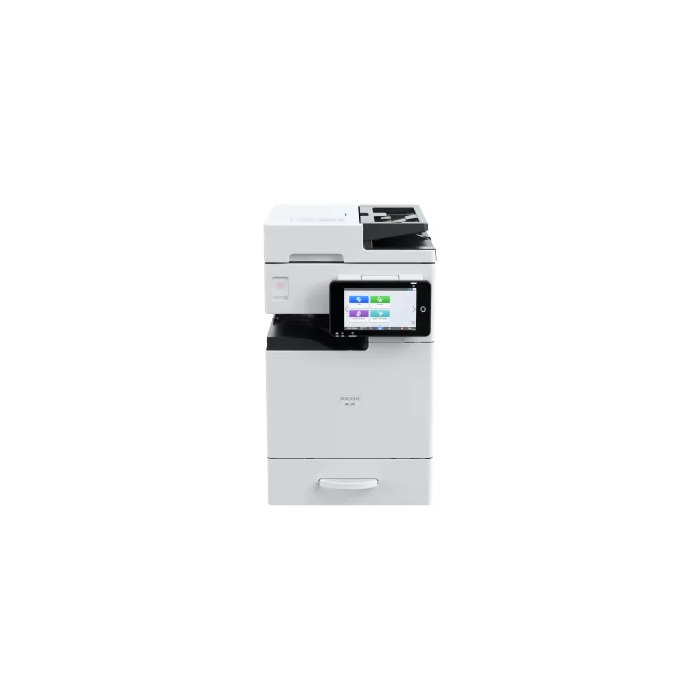
The Ricoh IM 370F is a compact mono multifunction device that delivers fast laser printing, A3-capable scanning and copying, and integrated cloud-ready tools for secure, collaborative digital workflows. With a maximum print resolution of 1200 x 1200 dpi and a print speed of 37 ppm, the IM 370F combines high-quality output with automation features and a tiltable 7″ Smart Operation Panel to simplify daily document tasks. Its low Typical Energy Consumption (0.381 kWh), recycled-plastic content in the mainframe, and reduced packaging plastic reflect an energy- and material-conscious design.
Advantages
The IM 370F provides rapid monochrome printing and high-resolution scanning with duplex capability, supporting efficient document production and sharing. Large paper capacity (up to 2,100 sheets), 6 GB RAM and stable Bluetooth 5.2 help maintain smooth, reliable performance. Built-in security features including RICOH Always Current Technology™ and TPM 2.0 ensure automatic security updates, stronger encryption and flexible account administration. Energy-saving modes and a low TEC value contribute to lower power consumption.
Suitable for
- Offices that require fast monochrome printing and A3 scan/copy functionality
- Teams needing duplex scanning and automated digital workflows
- Organisations prioritising data security and automatic firmware updates
- Workplaces wanting a compact, energy-efficient multifunction device
Key specifications
- Print technology: Laser, mono printing
- Print speed: 37 ppm (A4)
- Maximum print resolution: 1200 x 1200 dpi
- Copying: Mono copying, max. copy resolution 600 x 600 dpi
- Scanning: Mono scanning, optical resolution 1200 x 1200 dpi, duplex scan supported
- Maximum paper size: A3
- Paper capacity: Up to 2,100 sheets
- Memory: 6 GB RAM
- Connectivity: Ethernet LAN, Bluetooth 5.2 (stable connection); Wi‑Fi: No
- Security: RICOH Always Current Technology™, TPM 2.0
- Typical Energy Consumption (TEC): 0.381 kWh
- Colour: White; Weight: 41 kg
How to use
Connect the IM 370F to your network via Ethernet and configure user accounts and permissions through the device administration interface. Use the tiltable 7″ Smart Operation Panel to select print, copy or scan functions and adjust settings such as resolution, duplex scanning and paper size. Place originals on the ADF for duplex scanning or on the glass for single-sheet jobs. Monitor paper levels and consumables from the panel and use included automation features to create repeatable workflows for digital document distribution.
Usage recommendations
For best results, keep the device firmware and security updates enabled so RICOH Always Current Technology™ can download the latest protections automatically. Use duplex scanning to reduce paper handling time, and choose recommended paper weights to maintain print quality and avoid jams. Consider placing the device on a stable surface with adequate ventilation to ensure reliable long-term operation.
There are no reviews yet.