
Description
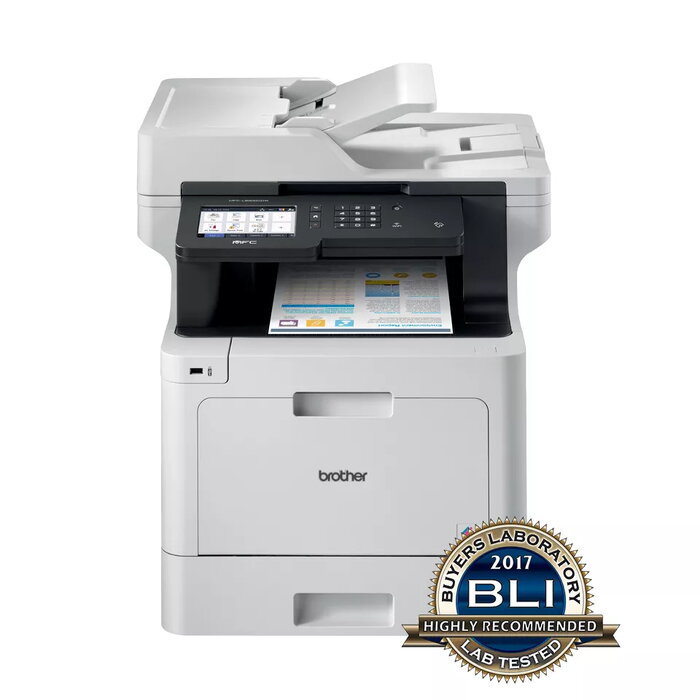
The Brother MFC-L8900CDW is a colour laser multifunction printer designed for office environments. It combines colour printing, copying and scanning in a compact A4 device with a maximum print resolution of 2400 x 600 dpi and an optical scan resolution of 1200 x 2400 dpi. With wired and wireless network connectivity and mobile printing support, the unit is intended to deliver reliable, high-quality output for businesses that require frequent colour document handling.
Advantages
The MFC-L8900CDW offers versatile paper handling with options for additional lower and tower trays to reduce the need for frequent refills. A large built-in touchscreen, NFC connectivity and a fast automatic document feeder simplify operation and scanning workflows. Enhanced scanning features and an 80-sheet automatic document feeder enable quick batch scanning to network locations or cloud services. Optional high-yield toner cartridges extend uptime and lower cost per page over the life of the device. The machine is built with robust construction to suit high-output work environments.
Suitable for
- Small and medium-sized offices requiring colour printing, copying and scanning
- Workgroups with regular batch scanning needs
- Offices that need networked and mobile printing
- Environments seeking lower running costs using high-yield toner
Key specifications
- Print technology: Laser
- Print speed (black, A4, normal): 31 ppm
- Maximum print resolution: 2400 x 600 dpi
- Colour printing and copying supported
- Maximum copy resolution: 1200 x 600 dpi
- Optical scanning resolution: 1200 x 2400 dpi
- Automatic document feeder capacity: 80 pages
- Maximum paper size: A4
- Interfaces: Ethernet, USB 2.0, Wireless LAN, NFC
- Weight: 28.7 kg
- Maximum monthly duty cycle: 60,000 pages
- Product colours: Black and grey
How to use
Connect the MFC-L8900CDW to your network via Ethernet or wireless LAN and install drivers on your workstation or enable mobile printing on compatible devices. Load paper into the appropriate tray and replace toner cartridges when prompted by the device. Use the touchscreen or supplied software to select print, copy or scan functions. For batch scanning, place documents in the 80-sheet automatic document feeder and choose the destination such as a network folder or cloud service.
Usage recommendations
For best results, use paper appropriate for laser printing and store toner cartridges according to manufacturer instructions. Add optional lower or tower trays when higher paper capacity is needed to minimise interruptions. Use high-yield toner cartridges to reduce cost per page in high-volume environments and schedule regular maintenance checks to maintain reliable operation.
There are no reviews yet.