
Description
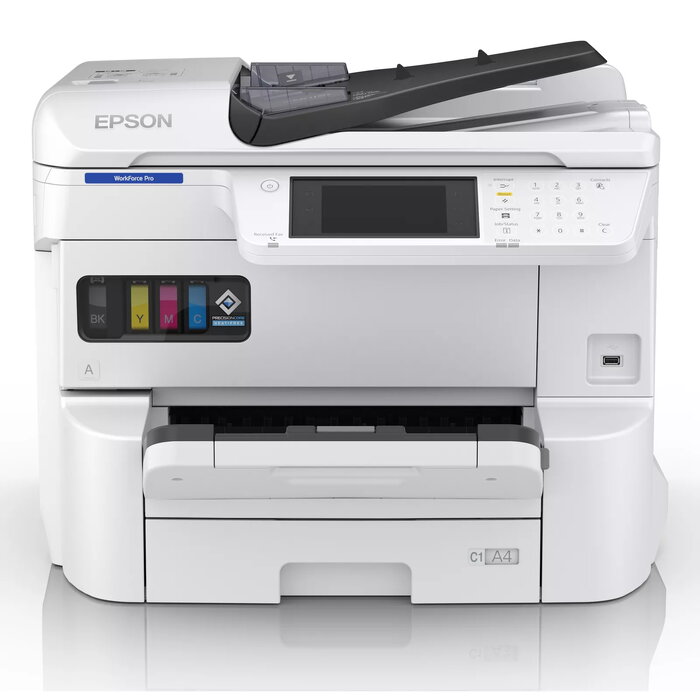
The Epson WorkForce Pro EM-C7100DWF is a multifunction inkjet colour printing device designed for workgroups and small to medium-sized businesses. It supports A3+ paper, offers a maximum print resolution of 4800 x 1200 dpi and a print speed of up to 35 ppm. The device includes colour copying, colour scanning with an optical resolution of 600 x 2400 dpi, duplex printing, Wi‑Fi and Ethernet connectivity, and a user-friendly 12.7 cm colour touchscreen.
Advantages
Low total cost of ownership thanks to high-yield, low-cost ink cartridges that provide up to 11,500 mono pages and 8,000 colour pages per set. Fast first page out time of approximately 5.5 seconds from ready mode reduces waiting times. High paper capacity with optional additional cassettes and a maximum paper capacity of up to 1,835 pages minimises paper changes. Heat-Free printing technology lowers power consumption while maintaining sharp output, and a robust design with fewer replaceable parts reduces downtime and service interventions.
Suitable for
- Office workgroups requiring A3+ colour printing and scanning
- Businesses seeking low running costs and high-yield consumables
- Environments needing duplex printing and fast scan throughput
- Sites requiring networked devices with Wi‑Fi and Ethernet access
Key specifications
- Print technology: Inkjet
- Print speed (black, A4): up to 35 ppm
- Maximum print resolution: 4800 x 1200 dpi
- Colour copying: supported (max copy resolution 600 x 1200)
- Optical scan resolution: 600 x 2400 dpi
- Maximum paper size: A3+
- Duplex printing: automatic
- First page out time (ready): ~5.5 seconds
- ADF scan speed: up to 45 ipm duplex (1-pass)
- Paper capacity: expandable up to 1,835 sheets with optional cassettes
- Connectivity: Wi‑Fi and Ethernet LAN
- Maximum monthly duty cycle: up to 5,000 pages
- Weight: 46.1 kg
How to use
Connect the device to your network via Ethernet or Wi‑Fi and install the driver and software on user computers or mobile devices to enable printing, scanning and copying. Load the appropriate paper size into the cassette or bypass tray and select print settings from the 12.7 cm colour touchscreen or from the print driver. For scanning, use the automatic document feeder (ADF) for duplex, one-pass scanning at high speed or place originals on the glass platen for single-page scanning. Replace ink cartridges when the front-panel status or software indicates low ink; follow on-screen instructions for cartridge replacement.
Usage recommendations
To maintain print quality and reliability, use genuine high-yield Epson ink cartridges, perform regular ADF and glass platen cleaning, and keep firmware up to date. For high-volume months, monitor monthly page counts to ensure usage stays within the recommended duty cycle and consider adding optional paper cassettes to reduce paper handling interruptions.
There are no reviews yet.