
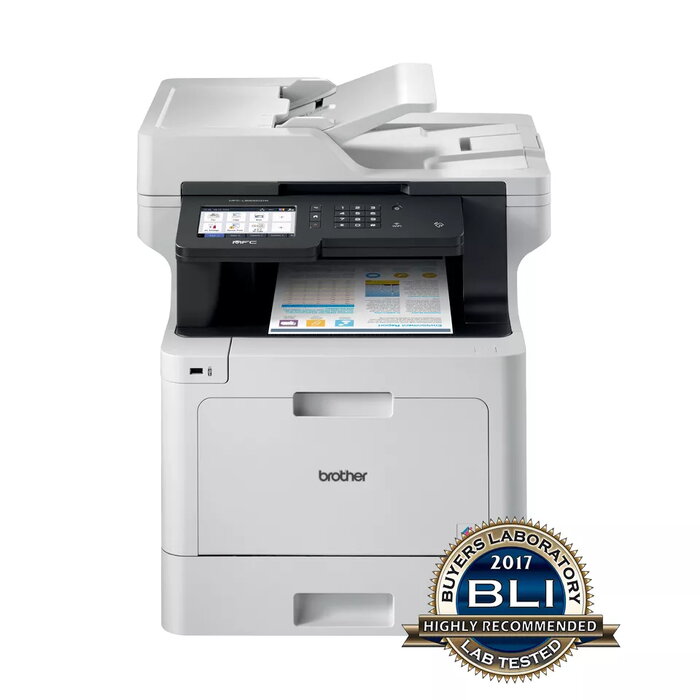
Description
The Brother MFC-L8900CDW is a colour laser multifunction printer designed for office use, offering printing, copying and scanning in vibrant colour. It delivers up to 31 pages per minute, a maximum print resolution of 2400 x 600 dpi and supports A4 media. Built-in Wi‑Fi and Ethernet connectivity enable direct printing from mobile devices and networked environments, while a robust metal and plastic chassis provides reliability for high-output workflows.
Advantages
The MFC-L8900CDW provides versatile paper handling with options for extra lower and tower trays to reduce refill interruptions and increase uptime. An 80-sheet automatic document feeder and enhanced document scanning let you scan directly to cloud services or your network. NFC and a large built-in touchscreen simplify user interaction. Optional high-yield toner cartridges help lower running costs over the device lifetime.
Suitable for
- Small and medium office departments requiring colour printing, copying and scanning
- Workgroups with moderate to high monthly print volumes
- Environments needing networked or mobile printing (Wi‑Fi, Ethernet, NFC)
- Offices that require frequent multi-page scanning or document workflows
Key specifications
- Print technology: Laser colour
- Print speed (A4, black): 31 ppm
- Maximum print resolution: 2400 x 600 dpi
- Copying: Colour, max copy resolution 1200 x 600
- Scanning: Colour, optical resolution 1200 x 2400
- Automatic document feeder: 80 pages
- Paper size: up to A4
- Interfaces: Ethernet, USB 2.0, Wireless LAN, NFC
- Maximum duty cycle: 60,000 pages/month
- Weight: 28.7 kg
- Colour: Black / Grey
How to use
Connect the MFC-L8900CDW to your network via Ethernet or Wi‑Fi, or pair via NFC for mobile printing. Load paper into the main tray or optional additional trays according to the required paper size, and place originals in the 80-sheet automatic document feeder for batch scanning or copying. Use the large touchscreen to select printing, copying or scanning functions and adjust settings such as resolution, duplex and paper source. Install Brother drivers on workstations for full functionality and enable cloud scanning destinations if required.
Usage recommendations
For best results in high-volume environments, fit optional lower or tower paper trays, use high-yield consumables, and schedule regular maintenance checks. Store toner cartridges in a cool, dry place and use the device’s recommended paper types to avoid jams and ensure consistent print quality.
There are no reviews yet.