
Description
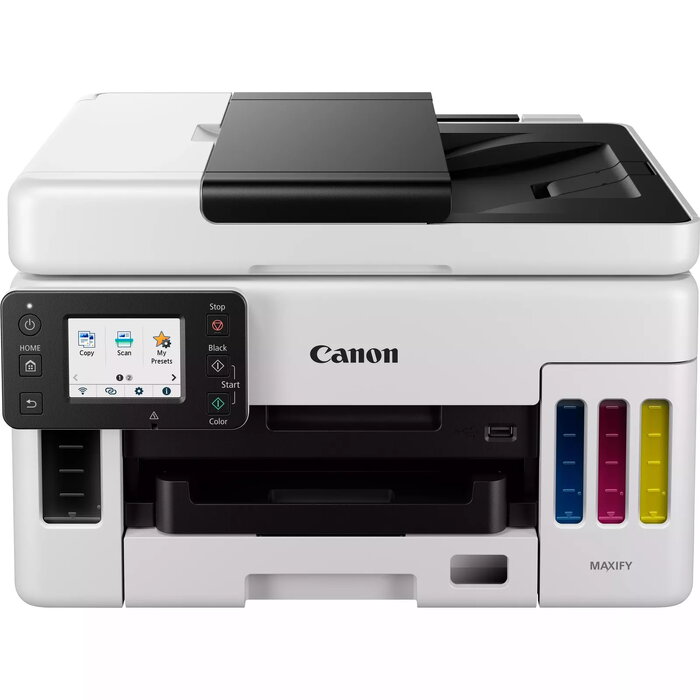
The Canon MAXIFY GX6040 is a multifunction inkjet printer designed for business use, delivering high-quality colour printing, copying and scanning with a maximum print resolution of 600 x 1200 dpi and optical scanning at 1200 x 1200 dpi. Featuring refillable high-yield MegaTank ink bottles, duplex copy/print/scan and wireless plus Ethernet connectivity, it supports A4 media and is intended to lower the total cost of ownership for busy offices.
Advantages
The MAXIFY GX6040 offers very low running costs through high-yield refillable ink bottles that deliver large page yields and optional Economy mode for extra savings. It combines fast business-class print speeds (up to 24 ipm mono, 15.5 ipm colour) with durable output and a compact footprint. A 50-sheet automatic document feeder with single-pass duplex scanning, tiltable 6.9 cm colour touchscreen and up to 600-sheet paper capacity support continuous workflows. Built-in Wi‑Fi, Ethernet and compatibility with Canon PRINT, Apple AirPrint and Mopria enable flexible mobile and cloud printing.
Suitable for
- Small and medium office printing of documents and client materials
- Real estate agencies preparing property portfolios and printouts
- Retail outlets producing invoices, POS materials and tags
- Private clinics printing records, appointment details and envelopes
- Educational institutions creating course materials and handouts
Key specifications
- Print technology: Inkjet
- Printing: Colour printing, maximum resolution 600 x 1200 dpi
- Copying/Scanning: Colour copying and colour scanning, optical scan 1200 x 1200 dpi
- Duplex: Copy, Print, Scan (automatic)
- Paper handling: A4 maximum, up to 600-sheet capacity, 50-sheet ADF, banner printing up to 1.2 m
- Connectivity: Wi‑Fi (dual-band), Ethernet LAN, Canon PRINT app, Apple AirPrint, Mopria
- Yield: High-yield MegaTank ink bottles (e.g., up to 14,000 colour pages / 6,000 black pages per set/ bottle as specified by manufacturer)
- Dimensions and weight: product colour White, weight approx. 11.6 kg
- Maximum duty cycle: up to 45,000 pages per month
How to use
Install the printer on a stable surface, connect to mains power and follow the on-screen setup using the 6.9 cm colour touchscreen. Fill the MegaTank ink reservoirs using the supplied ink bottles according to the user guide, load A4 or other supported media into the paper trays, and connect via Wi‑Fi, Ethernet or the Canon PRINT app for mobile printing. Use the 50-sheet ADF for multi-page copying and single-pass duplex scanning. Select Economy mode in driver settings when lower-cost prints are required.
Usage recommendations
For consistent results, use genuine Canon MegaTank ink bottles and perform routine maintenance including replacing the user-replaceable maintenance cartridge as instructed. Store paper in a dry environment and select the appropriate media type in driver settings for optimal print quality.
There are no reviews yet.