
Description
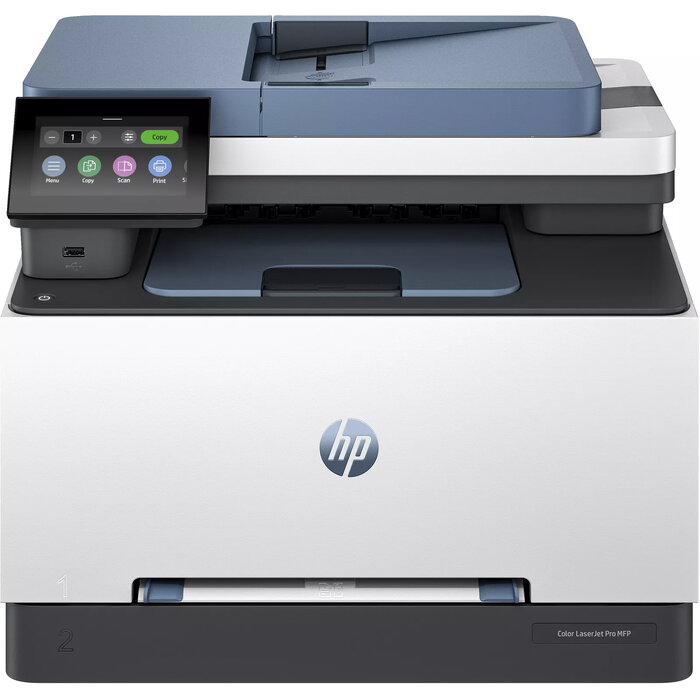
The HP Color LaserJet Pro MFP 3302sdw is a compact multifunction laser printer designed for business teams that require reliable, high-quality colour printing, scanning and copying. It delivers two-sided colour printing and copying, supports Wi‑Fi and Ethernet connectivity, and offers a maximum print resolution of 600 x 600 DPI with print speeds up to 25 pages per minute on A4/US Letter. The device also provides colour scanning with an optical resolution of 1200 x 1200 DPI and a monthly duty cycle rated up to 40,000 pages.
Advantages
This multifunction printer combines laser colour printing, colour copying and high-resolution scanning in a compact design suitable for modern offices. Duplex print and copy capabilities reduce paper usage for double-sided documents. Network options including Wi‑Fi and Ethernet enable direct printing and shared use across small workgroups. The unit is designed for consistent performance with a rated maximum duty cycle and supports standard industry print resolutions.
Suitable for
- Small to medium business work teams requiring reliable colour printing
- Offices needing duplex printing and copying for double-sided documents
- Environments that require networked devices via Wi‑Fi or Ethernet
- Workflows that include high-resolution colour scanning and digital archiving
Key specifications
- Print technology: Laser
- Printing: Colour printing
- Print speed (black, A4/US Letter, normal): 25 ppm
- Maximum print resolution: 600 x 600 DPI
- Copying: Colour copying, max copy resolution 600 x 600 DPI
- Scanning: Colour scanning, optical resolution 1200 x 1200 DPI
- Duplex functions: Print and Copy (two-sided)
- Maximum ISO A-series paper size: A4
- Connectivity: Wi‑Fi and Ethernet LAN
- Maximum duty cycle: up to 40,000 pages per month
- Weight: 17.1 kg
- Product colour: Blue, Grey
How to use
Install the printer according to the HP setup instructions, connect to your network via Wi‑Fi or Ethernet, and install the appropriate drivers on your computer or mobile device. Load A4 paper into the input tray, select colour or duplex options in the print dialog, and start printing, copying or scanning using the control panel or supported software. For scanning, choose the desired optical resolution and destination (computer, network folder or email) before initiating the scan.
Usage recommendations
Use genuine HP or HP‑chip-enabled cartridges compatible with the HP Color LaserJet Pro MFP 3302sdw to ensure device compatibility and maintain dynamic security functionality; periodic firmware updates may affect third-party or non‑HP chips. For consistent results, perform regular maintenance and use recommended paper types and sizes (A4) for best duplex and print quality.
There are no reviews yet.