
Description
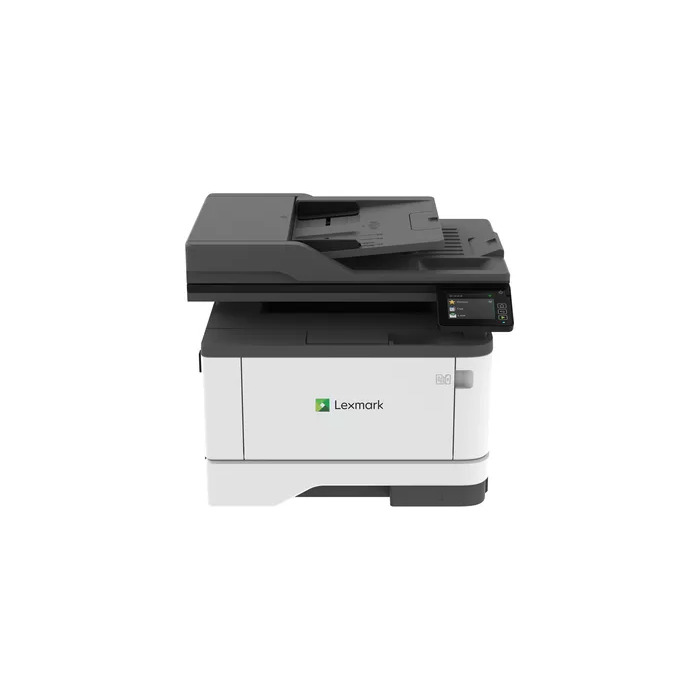
The Lexmark MX431adn is a compact monochrome multifunction laser printer for A4 documents, offering up to 40 pages per minute and a maximum output resolution of 600 x 600 DPI. It supports monochrome copying, color scanning and includes automatic two-sided printing, network connectivity via Ethernet and a 2.8-inch color touch screen for intuitive operation and cloud access.
Advantages
Fast first-page-out and sustained print speed reduce wait time for office tasks, while optional Extra High Yield Unison toner cartridges and an optional paper tray increase uptime. The device is built with a steel frame and a lifetime fuser for durability. Integrated security features protect data on the device, in transit and in stored documents. Energy-saving modes and automatic duplex printing help lower paper and power consumption.
Suitable for
- Small and medium office environments requiring reliable monochrome printing
- Workgroups needing scanning to cloud services and networked print access
- Environments that prioritise durability and lower total cost of ownership
Key specifications
- Print technology: Laser
- Printing: Mono
- Print speed (A4, black, normal): 40 ppm
- Maximum resolution: 600 x 600 DPI
- Copying: Mono copying
- Scanning: Colour scanning; optical resolution 600 x 600 DPI
- Automatic duplex: Yes
- Paper size: up to A4
- Connectivity: Ethernet LAN (no Wi‑Fi)
- Weight: 12.8 kg
- Maximum monthly duty cycle: 80,000 pages
How to use
Connect the printer to your network via Ethernet and install the appropriate driver on your computer. Use the 2.8-inch color touch screen to select print, copy, scan or fax functions and to configure duplex and energy-saving settings. For scanning to cloud storage, sign in to supported cloud connectors (Box, Dropbox, Google Drive, Microsoft OneDrive) through the device interface and follow on-screen prompts to save or retrieve files.
Usage recommendations
Use Lexmark-approved toner cartridges, consider the Extra High Yield toner for high-volume printing, and add the optional paper tray if you require larger input capacity. Enable automatic duplex and energy-saving modes to reduce paper usage and power consumption. Ensure regular firmware updates and follow network security best practices to maintain device security.
There are no reviews yet.