
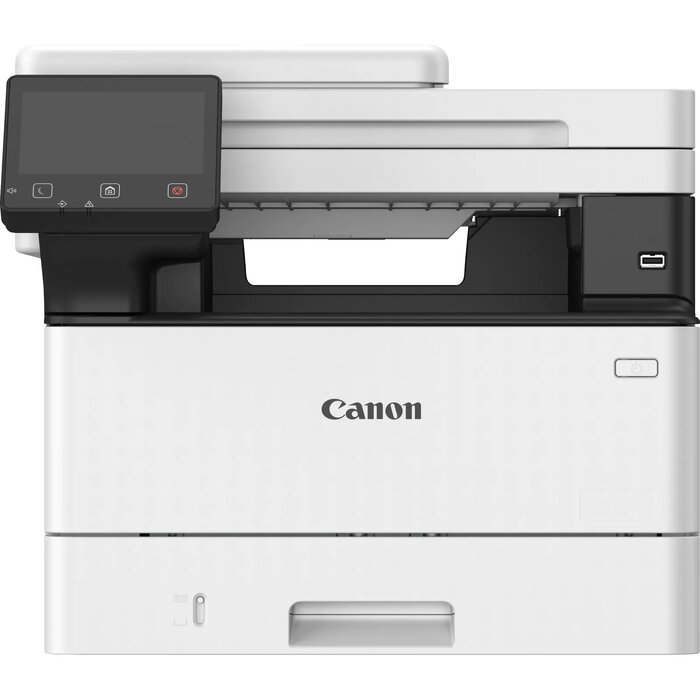
Description
The Canon i-SENSYS MF460 Series is a compact multifunction laser device designed for small offices and workgroups. It combines printing, scanning and copying with built-in security and cloud connectivity. With print speeds up to 40 ppm, fast scanning and mobile printing support, the MF460 Series helps streamline workflows and save time while fitting easily on desktops or counters.
Advantages
360-degree security protects documents, device and network with features such as TLS 1.3, Verify System at Startup and secure PIN printing. Intuitive one-touch buttons and drag-and-drop icon customization simplify everyday operations. Built-in cloud connectivity enables direct access to Google Drive, Dropbox and OneDrive, and mobile printing is available through Canon PRINT Business, AirPrint and Mopria.
Key specifications
- Print speed: up to 40 ppm
- Scan speed: up to 100 ipm
- Warm-up time: 14 seconds
- Security: TLS 1.3, Verify System at Startup, secure PIN printing
- Cloud services: Google Drive, Dropbox, OneDrive
- Mobile printing: Canon PRINT Business, AirPrint, Mopria
How to use
Install the device following the manufacturer instructions and connect it to your network. Use one-touch buttons or the customizable home screen to start print and scan jobs. For mobile printing, install Canon PRINT Business on your smartphone or tablet, or use AirPrint (iOS) and Mopria (Android). Manage the printer remotely via Universal Print from Microsoft if required.
Recommendations
Place the MF460 Series on a stable desktop or counter with adequate ventilation. Regularly update device firmware and enable Verify System at Startup to maintain security. Use cloud connections and mobile apps for convenient access to documents and to speed up routine tasks.
There are no reviews yet.