
Description
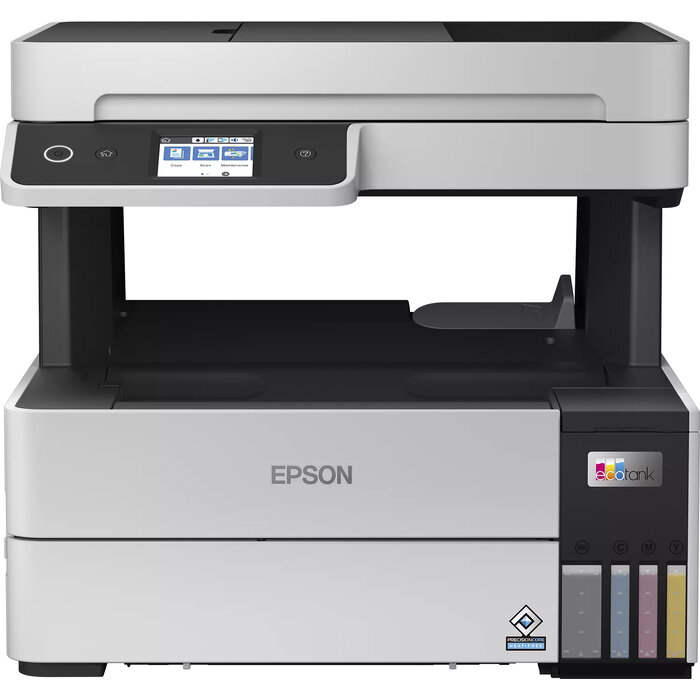
The Epson EcoTank L6460 is a multifunction inkjet printer designed for efficient colour output and networked use in home and small office environments. It delivers colour printing at up to 4800 x 1200 dpi and a rated print speed of 37 pages per minute (black, normal quality, A4). The device includes a colour scanner with an optical resolution of 1200 x 2400 dpi, supports automatic A4 duplex printing, and offers both Wi‑Fi and Ethernet connectivity for direct printing from computers and mobile devices. With a compact footprint and a weight of approximately 7.3 kg, the unit combines high-resolution imaging, reliable network access, and a refillable ink tank system suited to sustained colour workloads.
Advantages
The EcoTank L6460 provides high maximum print resolution for detailed colour documents and photos while maintaining competitive print speeds for office tasks. Integrated Wi‑Fi and Ethernet connections enable flexible placement and easy shared access across a small network. The inclusion of automatic A4 duplex printing reduces paper use for two-sided documents. Its combined scanner and printing functions, along with a low-profile design and two-tone product colour, offer a practical balance between performance and space efficiency.
Suitable for
- Home offices requiring colour printing and scanning with network access
- Small businesses and workgroups that need A4 duplex prints and shared connectivity
- Users producing marketing materials, reports, and colour documents
- Environments where compact, relatively lightweight multifunction devices are preferred
Key specifications
- Print technology: Inkjet colour printing
- Maximum print resolution: 4800 x 1200 dpi
- Print speed (black, normal quality, A4): 37 ppm
- Scanning: Colour scanning with optical resolution 1200 x 2400 dpi
- Maximum paper size: A4 (ISO A-series)
- Duplex: Automatic two-sided printing (A4)
- Connectivity: Wi‑Fi and Ethernet LAN
- Weight: Approx. 7.3 kg
- Product colour: White and Black
How to use
Place the printer on a stable, level surface with sufficient clearance for paper trays and the scanner lid. Connect the unit to power and follow on-screen prompts or the included quick-start guide to complete initial setup. Use the network setup menu to configure Wi‑Fi or connect the Ethernet cable for wired access; install Epson drivers or the recommended printing app on your computer or mobile device to enable direct printing and scanner functions. Load A4 paper into the tray, select duplex printing in print settings when two-sided output is required, and initiate scans using the scanner glass or the device interface.
Usage recommendations
For consistent colour results and optimal device longevity, use manufacturer-recommended ink supplies and paper types that match the intended output (plain paper for drafts, high-quality coated paper for photo or marketing prints). Keep firmware and drivers up to date, perform occasional cleaning cycles as instructed in the manual, and place the printer in a dust-free, well-ventilated area to maintain scanning and printing quality.
There are no reviews yet.