
Description
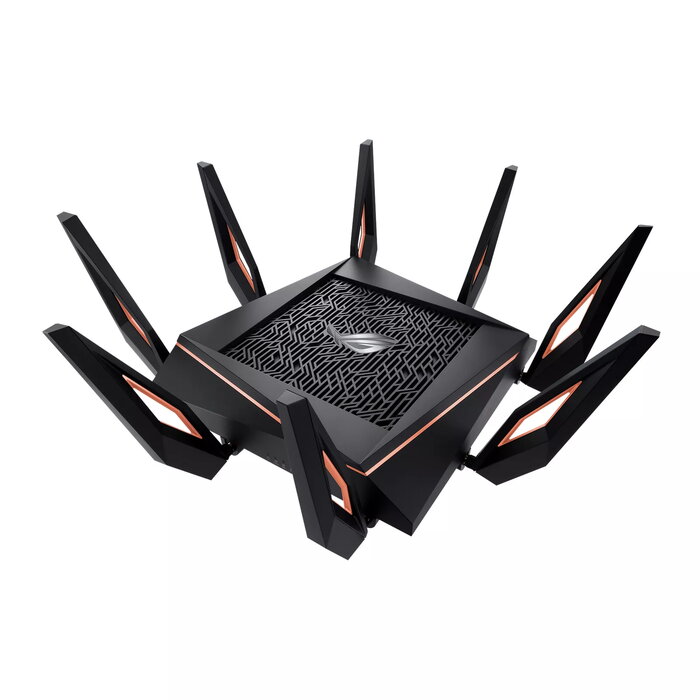
The ASUS Rapture GT-AX11000 is a tabletop tri-band Wi‑Fi 5 router designed for high-bandwidth applications such as gaming and multimedia streaming. It supports three wireless bands (2.4 GHz / 5 GHz / 5 GHz) with a combined WLAN throughput up to 4804 Mbit/s, offers Gigabit Ethernet interfaces including a 2.5G-capable LAN port, eight external antennas and built-in security and network management features for stable, prioritized traffic handling.
Advantages
The router combines tri-band Wi‑Fi 5 performance with a quad-core processor, providing capacity for concurrent high-speed connections and low latency for gaming. Advanced features include DFS band support, Adaptive QoS for traffic prioritization, WTFast integration for optimized game routing, AiProtection network security and AiMesh compatibility to build a larger mesh Wi‑Fi system. Multiple Ethernet ports and USB connectivity enable flexible wired and network-attached storage options.
Suitable for
- Online gaming and low-latency multiplayer sessions
- 4K/8K video streaming and high-bandwidth media
- Homes or small offices needing stable multi-device connectivity
- Users who want to build a mesh Wi‑Fi system with AiMesh
Key specifications
- Wi‑Fi bands: Tri-band (2.4 GHz / 5 GHz / 5 GHz)
- Top Wi‑Fi standard: Wi‑Fi 5 (802.11ac)
- Maximum WLAN throughput: 4804 Mbit/s
- Ethernet LAN ports: 5 (Gigabit Ethernet, includes 2.5G-capable port)
- USB port: Yes
- Antennas: 8 external
- Weight: 1.5 kg
- Colour: Black
How to use
Place the GT-AX11000 on a stable, elevated surface near your internet source and connect the WAN cable to your modem. Power on the router and complete initial setup using the ASUS web interface or the ASUS Router mobile app. Configure wireless SSIDs and passwords for each band, enable Adaptive QoS or WTFast if you require traffic prioritization for gaming, and activate AiProtection for network security. Connect wired devices to the LAN ports or attach USB storage for file sharing.
Usage recommendations
For optimal gaming performance, connect high-priority devices to the 2.5G-capable LAN port or to the less-congested 5 GHz band, enable Adaptive QoS to prioritize gaming traffic, and position the router centrally with antennas extended for best coverage. Keep firmware updated to maintain security and stability.
There are no reviews yet.