
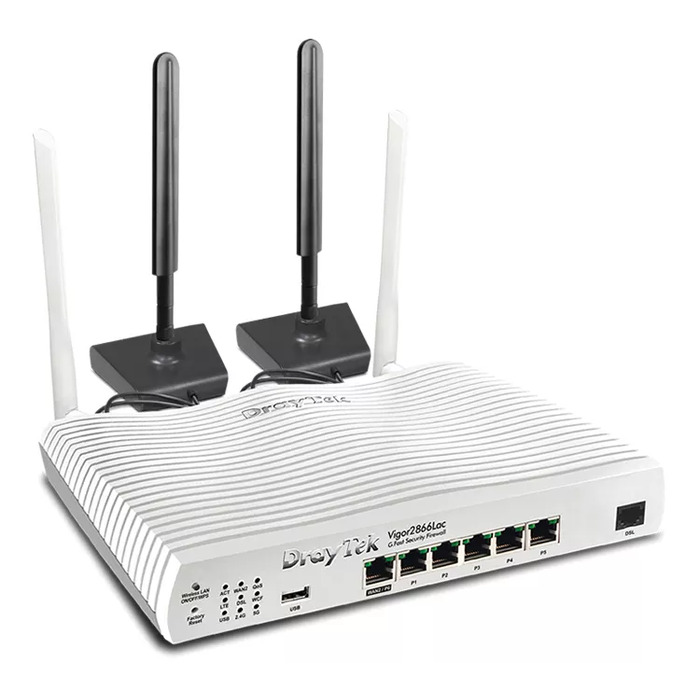
Description
The DrayTek Vigor 2866L Dual-band Wi-Fi 5 is a wireless router designed for reliable high-speed internet access with integrated 4G backup. It supports dual-band operation (2.4 GHz and 5 GHz) and Wi‑Fi 5 (802.11ac), offering a combined WLAN data throughput suitable for home and small office networks. The device includes Gigabit Ethernet ports for wired connections, USB support for external storage or printer sharing, and a compact white enclosure with two external antennas for improved signal stability.
Advantages
The router provides dual-band wireless performance with a maximum WLAN data transfer rate of up to 867 Mbit/s on the 5 GHz band while maintaining compatibility with 2.4 GHz devices. Gigabit Ethernet LAN interfaces enable fast wired connections to desktop PCs and switches. Integrated USB connectivity allows file or peripheral sharing, and the 2×2 antenna configuration helps maintain stable coverage. Security features include support for modern wireless encryption protocols and options for network segmentation and access control.
Suitable for
- Home networks requiring simultaneous wireless and wired devices
- Small offices needing secure guest and corporate Wi‑Fi
- Locations where 4G backup connectivity is required for uninterrupted internet access
- Environments demanding Gigabit wired connections for desktop computers or NAS
Key specifications
- Wireless bands: Dual-band 2.4 GHz and 5 GHz
- Top Wi‑Fi standard: Wi‑Fi 5 (802.11ac) with backward compatibility to 802.11n
- Maximum WLAN data rate: up to 867 Mbit/s (5 GHz)
- Ethernet: Gigabit Ethernet LAN interfaces, 5 LAN ports (RJ‑45)
- USB: USB port for storage or peripheral sharing
- Antenna configuration: 2×2 external antennas
- Device color: White
How to use
Place the router in a central location to optimize wireless coverage and connect the primary internet source to the WAN port or use the integrated 4G connection according to the provider instructions. Connect wired devices to the Gigabit LAN ports and attach external storage or a printer to the USB port if needed. Access the router web interface via a browser to configure SSIDs, security (WPA2/WPA3), and network segmentation. Follow on-screen setup steps or the supplied quick start guide to complete initial network configuration.
Usage recommendations
For best performance, assign the 5 GHz band to high-bandwidth devices such as streaming boxes and desktop PCs, and reserve 2.4 GHz for devices with longer range requirements. Regularly update the router firmware and enable strong wireless encryption to maintain network security. Position antennas vertically for broad horizontal coverage and avoid placing the router near large metal objects or thick walls that can degrade signal strength.
There are no reviews yet.