
Description
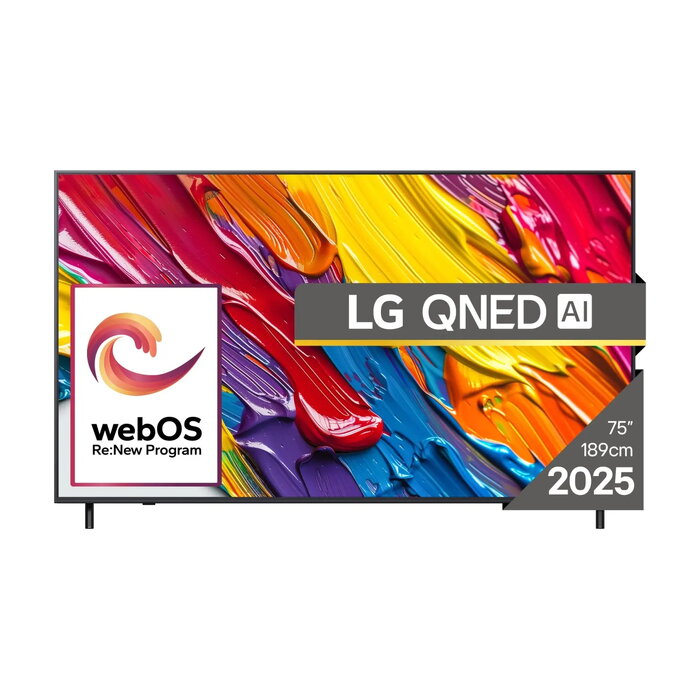
The LG QNED 75QNED82A3B is a 75-inch 4K Ultra HD Smart TV with QNED display technology and Edge-LED backlighting. With a native resolution of 3840 x 2160 pixels and the webOS platform, the television is designed to deliver detailed images, accurate colors and access to streaming services via Wi‑Fi or Ethernet LAN. The slim black cabinet and large screen size make it suitable for living rooms and home cinemas where a high-resolution viewing experience is required.
Advantages
QNED display technology combined with 4K resolution provides enhanced color reproduction and fine detail for HDR and SDR content. Edge-LED backlighting allows a thin panel profile while maintaining uniform illumination across the panel. Integrated smart TV functionality with webOS and built-in Wi‑Fi or Ethernet connectivity simplifies streaming, app access and networked media playback. Energy ratings and measured consumption figures for SDR and HDR modes are provided to help assess operating costs.
Suitable for
- Home cinema and large living rooms
- Streaming movies and TV series via smart apps
- Watching broadcast TV using DVB-T/T2, DVB-C and DVB-S/S2
- Viewing high-resolution video and photo content
Key specifications
- Display diagonal: 75″ (189.3 cm)
- Resolution: 3840 x 2160 (4K Ultra HD)
- Display technology: QNED with Edge-LED backlighting
- Operating system: webOS
- Network: Wi‑Fi and Ethernet LAN
- Supported broadcast formats: DVB-C, DVB-S, DVB-S2, DVB-T, DVB-T2
- Colour: Black
- Energy class (SDR / HDR): D / G
- Energy consumption per 1000 hours (SDR / HDR): 84.6 kWh / 170 kWh
How to use
Place the TV on a stable stand or mount it on a compatible wall bracket at an appropriate viewing height for the room. Connect an antenna, cable or satellite feed to the corresponding tuner input to receive terrestrial, cable or satellite broadcasts. Use the Ethernet port or connect to a Wi‑Fi network to enable smart features and streaming apps available in webOS. Adjust picture settings from the on‑screen menu to suit the room lighting and content type; use available picture presets for movie, sport or game modes if required.
Usage recommendations
For best picture performance, view HDR content with room lighting controlled to reduce reflections, and calibrate basic picture settings (brightness, contrast, and color temperature) according to manufacturer guidelines. Ensure firmware updates are applied via network connection to maintain app compatibility and system stability.
There are no reviews yet.