
Description
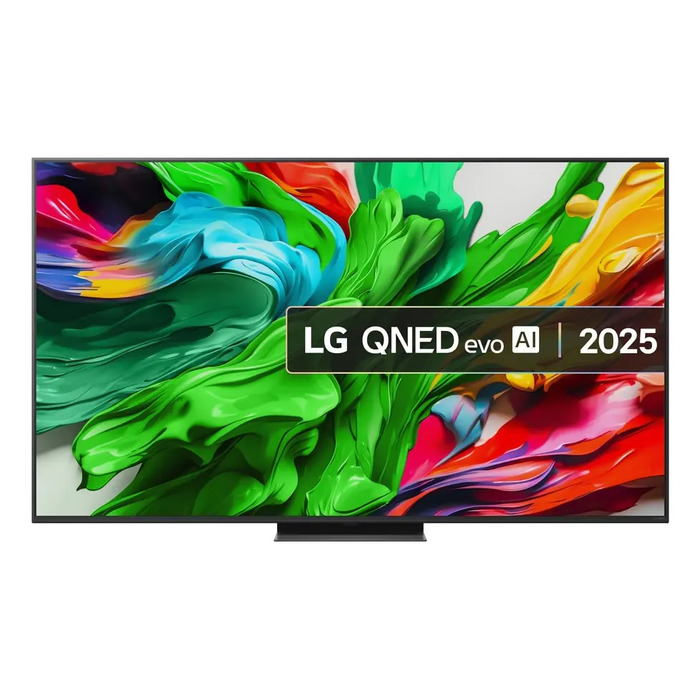
The LG QNED evo AI 65QNED86A6A features a 65″ 4K Ultra HD (3840 x 2160) QNED evo display with Mini LED backlighting and the alpha 8 AI Processor Gen2. Designed for large-scale viewing, the TV combines AI-driven picture and sound processing with webOS smart features, built-in Chromecast, multiple tuner support (DVB-S/S2, DVB-T/T2) and flexible connectivity including Wi‑Fi, Ethernet and Bluetooth.
Advantages
All New Dynamic QNED Colour delivers an expanded colour gamut and certified 100% colour volume with LG QNED evo. The alpha 8 AI Processor Gen2 analyzes content by genre and applies AI Picture Pro (including AI Super Upscaling and Dynamic Tone Mapping Pro) to enhance resolution, brightness, depth and clarity. Mini LED with advanced local dimming provides high contrast and fine detail, while AI Sound Pro offers virtual 9.1.2-channel processing. The set also includes a dedicated AI button on the AI Magic Remote, voice controls, Microsoft Copilot integration, annual webOS Re:New upgrades and a slim design with optional Synergy Bracket for compatible soundbars.
Suitable for
- Watching films and TV on a large 65″ (165.1 cm) screen
- High-resolution streaming and smart TV apps via webOS and Chromecast
- Gaming with reduced motion blur using 144 Hz VRR and AMD FreeSync Premium
- Use in living rooms where accurate colour and high contrast are required
Key specifications
- Model: LG QNED evo AI 65QNED86A6A
- Display diagonal: 65″ / 165 cm
- Resolution: 4K Ultra HD (3840 x 2160), 16:9
- Display technology: QNED evo with All New Dynamic QNED Colour
- Backlight: Mini LED with advanced local dimming
- Processor: alpha 8 AI Processor Gen2 with AI Picture Pro
- Sound: AI Sound Pro (virtual 9.1.2 channels) and Synergy Bracket support
- Gaming: 144 Hz VRR, AMD FreeSync Premium, Motion Pro
- Smart TV: webOS, built-in Chromecast, AI Search, AI Chatbot
- Tuners: DVB-S, DVB-S2, DVB-T, DVB-T2
- Connectivity: Wi‑Fi, Ethernet LAN, Bluetooth
- Mounting: VESA 300 x 300 mm
- Energy: E (SDR) — 85 kWh /1000 h; HDR — 144 kWh /1000 h
- Colour: Black
How to use
Place the TV on a stable surface or mount it on a VESA 300 x 300 compatible bracket. Connect antenna/cable to the appropriate tuner input (DVB-S/S2 or DVB-T/T2) or stream via network using Wi‑Fi or Ethernet. Use the AI Magic Remote for navigation, voice commands and the dedicated AI button to access AI Search, AI Chatbot and Microsoft Copilot features. For best picture quality, enable AI Picture Pro and local dimming in the picture settings, and select the appropriate HDR mode when supported content is played.
Usage recommendations
For optimal results, position the TV where ambient light is moderate and enable Ambient FILMMAKER MODE or Dolby Vision when viewing cinematic content. Use the Synergy Bracket for a unified setup with a compatible LG soundbar, and keep webOS updated via the Re:New Program to receive yearly feature and security upgrades.
There are no reviews yet.