
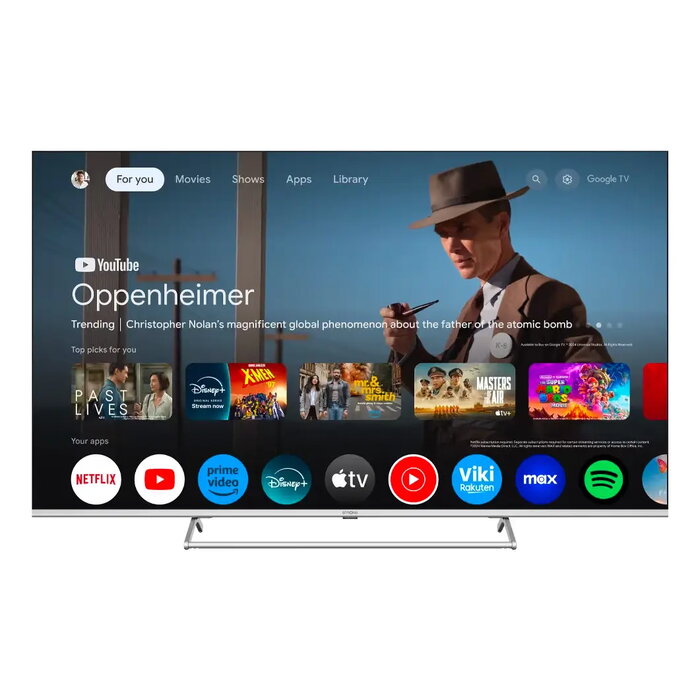
Description
The Strong SRT65UG8773C TV 65″ 4K Ultra HD QLED 3840 x 2160 is a 65-inch Smart TV that combines QLED display technology with a 3840 x 2160 pixel resolution for detailed images and rich color reproduction. The set features Android TV as the operating system, built-in Wi‑Fi and Ethernet LAN connectivity, and supports common digital broadcast formats including DVB‑T2, DVB‑C and DVB‑S2. The panel offers a contrast ratio of 6000:1, a brightness of 400 cd/m² and an advertised fast response time of 6.5 ms, while IQR motion processing is used to improve on-screen movement.
Advantages
The QLED panel provides improved color depth and wider color gamut compared with standard LED displays, while the 4K Ultra HD resolution ensures finer detail suitable for large-screen viewing. Built‑in Android TV enables access to streaming apps and smart features without additional devices. Multiple digital tuner support and both Wi‑Fi and Ethernet connections make the TV flexible for different signal sources and network setups. The combination of 65″ screen size, metallic silver finish and the specified brightness and contrast characteristics is designed for living rooms and viewing areas where a large, clear image is required.
Suitable for
- Watching 4K films and streaming content in living rooms or media rooms
- Viewing broadcast TV via DVB‑T2, DVB‑C or DVB‑S2 tuners
- Using smart TV apps and streaming services over Wi‑Fi or Ethernet
- Casual gaming on a large screen where low response time is beneficial
- Displaying high‑resolution photos and media presentations
Key specifications
- Display diagonal: 65″ (163.9 cm)
- Display technology: QLED
- Resolution: 3840 x 2160 (4K Ultra HD)
- Operating system: Android TV
- Contrast ratio: 6000:1
- Brightness: 400 cd/m²
- Motion technology: IQR motion processing
- Response time: 6.5 ms
- Connectivity: Wi‑Fi and Ethernet LAN
- Supported digital formats: DVB‑T2, DVB‑C, DVB‑S2
- Product colour: Silver, Metallic
- Energy efficiency class (SDR/HDR): G / G
- Energy consumption per 1000 hours (SDR/HDR): 85 kWh / 85 kWh
How to use
Place the TV on a stable stand or mount it on a wall according to the manufacturer’s installation instructions and ensure sufficient ventilation around the chassis. Connect the TV to power and use the setup wizard on Android TV to select language, connect to Wi‑Fi or Ethernet and sign in to a Google account if desired. Use the built‑in tuners to scan for DVB‑T2, DVB‑C or DVB‑S2 channels, and install streaming apps from the Google Play store for access to video services. Adjust picture mode, brightness and other image settings from the on‑screen menu to suit viewing conditions. Connect external devices such as game consoles, set‑top boxes or sound systems to the available HDMI, USB or audio outputs as needed.
Usage recommendations
For best picture quality, use 4K HDR content when available and select an appropriate picture mode for the viewing environment. Position the screen at eye level for comfortable viewing and keep the firmware updated via network settings to ensure access to the latest features and fixes. Monitor energy settings to manage power consumption and use external audio if higher sound levels or enhanced bass response are required.
There are no reviews yet.