
Description
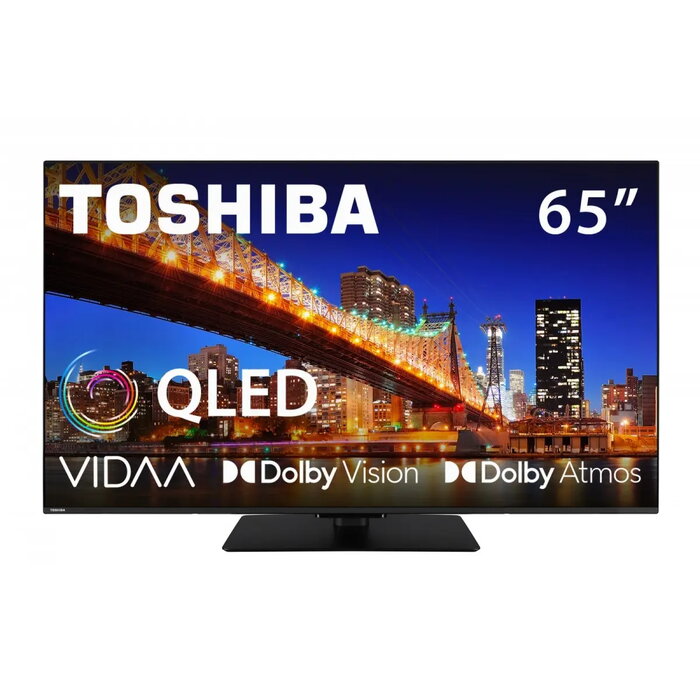
The Toshiba 65QV3F63DG is a 65″ QLED television with native 4K (3840 × 2160) resolution designed to provide accurate color reproduction and deep contrast for everyday viewing of films, series and broadcasts. The set includes a built-in smart platform for direct access to streaming apps, multiple connectivity options for external devices and networks, integrated audio for immersive playback and a slim modern design suitable for placement on a stand or wall.
Advantages
The large 65-inch QLED panel with native 4K resolution delivers detailed images and increased color volume compared with conventional LCD panels. Built-in smart features enable straightforward access to popular streaming services. Multiple connectivity ports allow attaching external players and peripherals, while the integrated audio system provides adequate sound for typical living-room use. The slim design supports installation on a stand or wall without occupying excessive space.
Suitable for
- Watching 4K films and TV series
- Streaming content from popular apps
- Connecting external players, consoles and media devices
- Everyday living-room and family-room use
Key specifications
- Brand: Toshiba
- Model (MPN): 65QV3F63DG
- EAN: 4024862135522
- Screen size: 65″
- Display technology: QLED
- Resolution: 4K (3840 × 2160)
- Energy efficiency class: E
- Smart TV: built-in smart features for streaming services
- Audio: integrated sound system for immersive playback
- Connectivity: multiple options for external devices and networks
- Category: TV
How to use
Place the television on a stable stand or mount it on a compatible wall bracket. Connect the power cable and attach source devices using the available inputs (HDMI, USB or network as provided). Follow the on-screen setup assistant to configure language, connect to your network and complete initial settings. Sign in to streaming services through the smart platform to access apps and content. Use the settings menu to adjust picture and sound modes to suit room lighting and listening preferences. Keep system software updated via network updates to maintain optimal performance.
Usage recommendations
For best 4K streaming results use a stable high-speed internet connection, keep the TV firmware updated, allow clearance around the unit for ventilation, and use high-quality HDMI or compatible cables when connecting external 4K sources.

There are no reviews yet.