
Description
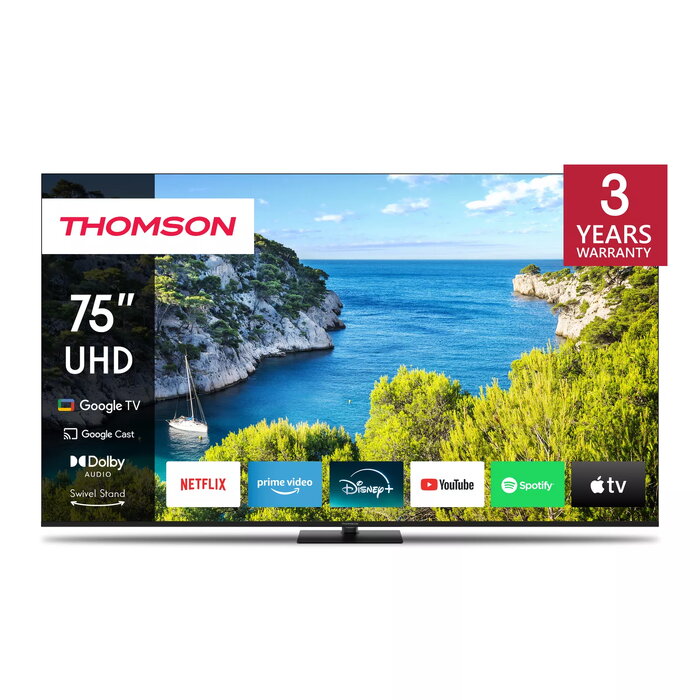
The Thomson 75UG5C14 75″ 4K Ultra HD LED TV delivers 3840 x 2160 resolution on a 75-inch display with LED Direct backlighting and Google TV smart platform. It supports DVB-C, DVB-S/S2 and DVB-T/T2 tuners, offers Wi‑Fi and Ethernet connectivity, and features HDR10 and Dolby Audio for improved picture and sound reproduction. The central swivel stand allows up to 30° rotation for flexible placement while the ergonomic backlit remote includes Google Assistant voice control and Google Cast streaming.
Advantages
This Thomson TV provides true 4K UHD detail with HDR10 for better contrast and color accuracy, while Dolby Audio delivers clearer, more dynamic sound. Google TV organizes apps and subscriptions, supports multiple user profiles and gives access to a large catalog of movies and shows. Built-in triple tuners receive satellite, cable and terrestrial broadcasts without extra hardware, and the central swivel stand increases placement flexibility.
Suitable for
- Home cinema viewing of films and series in 4K
- Watching live TV via satellite, cable or terrestrial antenna
- Streaming apps and casting content from compatible devices
- Rooms where adjustable screen angle is useful (central swivel up to 30°)
Key specifications
- Model: Thomson 75UG5C14
- Display diagonal: 75″ (189 cm)
- Resolution: 3840 x 2160 (4K Ultra HD)
- Display technology: LED, Direct-LED backlight
- Operating system: Google TV
- Tuners: DVB-C, DVB-S, DVB-S2, DVB-T, DVB-T2 (triple tuner)
- Connectivity: Wi‑Fi, Ethernet LAN, Google Cast
- HDR: HDR10
- Audio: Dolby Audio
- Energy class: F (SDR) / G (HDR); consumption: 125 kWh/1000h (SDR), 166 kWh/1000h (HDR)
- Color: Black
How to use
Place the TV on a stable surface and adjust the central swivel stand to set the viewing angle (up to 30°). Connect an antenna, satellite dish or cable to the integrated tuners to receive broadcast channels, or connect to your home network via Wi‑Fi or Ethernet to access streaming apps on Google TV. Use the backlit remote or say commands to Google Assistant to search content, control playback, adjust settings or operate compatible smart home devices. Use the HDMI inputs to attach external players or game consoles and enable HDR in content settings when available.
Usage recommendations
For the best picture quality enable HDR10 content when available, place the TV at an appropriate viewing distance for a 75″ screen (typically 2.5–4.5 m depending on personal preference), and ensure a stable internet connection for streaming. Use the swivel feature to reduce glare and optimise viewing angle.

There are no reviews yet.